Walk-Through: How to Merge Changes from Branches

Learn how to build features separately, then combine when you’re ready to make shipping your product faster and more reliable.

Abhinav Narain
February 21, 2024 • 2 minute read
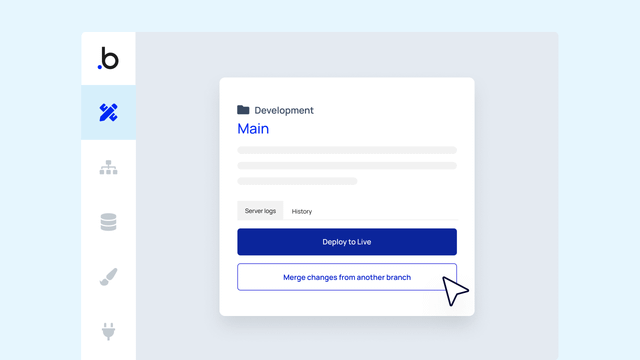
Mockup of merging changes from branches in the Bubble editor.

Whether you’re building new features, trying experimental approaches, or working on a hotfix, the concept of merging changes from branches is a core software development principle that helps programmers ship smoothly.

On Bubble, you can work on multiple features at the same time by building on different branches to isolate workstreams. You can test these different branches individually and merge the changes when they’re ready — we’ll even guide you through the steps required to successfully merge work from one branch into another branch and flag any potential conflicts along the way.

We make the merge and conflict resolution processes more visual, accessible, and understandable with these industry-standard best practices. Let’s walk through an example of how this works in practice:

Merge changes clearly and logically

From your editor, select Main in the upper right-hand corner. From there, you can select the branch that contains the changes you’d like to merge. Confirm your selection to kick off the merge process. 

Minimize errors with the guided merge flow

After you select the branch that you’d like to merge, the guided merge flow shows you a step-by-step merge process that previews what the result of your merge will look like. If you see anything you don’t like, you can cancel your merge without consequence.

Fix issues quickly with conflict resolution

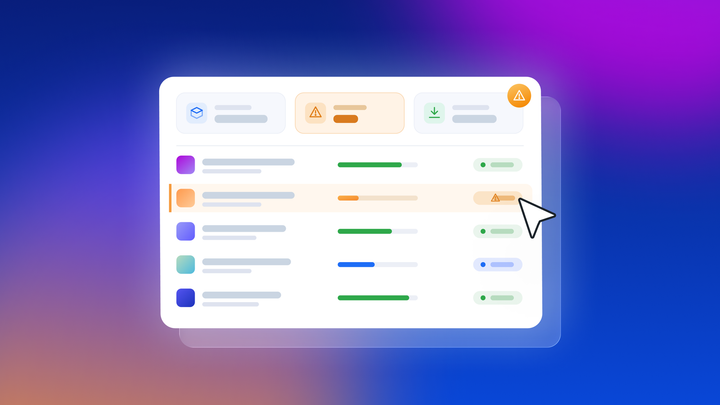
We’ll flag any conflicts that arise when you merge branches, so you can pinpoint and resolve the differences. Our conflict resolution UI organizes conflicts by page and gives you the option to resolve all conflicts in favor of one branch on a page-by-page basis.

Divide, conquer, and experiment 

Using branches as part of a version control process helps you shorten your development cycles by enabling teams to divide and conquer — but solo Bubble devs can equally benefit from branching. For example, if you want to experiment with new ideas or work on multiple features at the same time, you can isolate your work into branches to keep what you like, delete what you don’t, and merge each branch on its own timeline. 

🌱
To get the most out of Bubble version control, upgrade to the Growth plan to take advantage of all the merging magic we have to offer.
Start building for free

Build for as long as you want on the Free plan. Only upgrade when you're ready to launch.

Join Bubble


LATEST STORIES

October Demos and AMA: Agent 2, Building with Claude, and Importing Vibe-Coded Apps

October Demos and AMA: Agent 2, Building with Claude, and Importing Vibe-Coded Apps

At Bubble’s October AMA, Emmanuel Straschnov demoed Agent 2, the Bubble MCP (beta), and app import, then took questions and shared Launch Lab’s winners.

Emmanuel Straschnov
October 26, 2026 • 10 minute read
A check, lock, and warning logo in diamonds on a blue background

How We Responded to This Week’s Node.js and PHP Vulnerabilities

On October 21, Node.js and PHP disclosed security vulnerabilities. Here’s how the team responded to make sure your apps were safe and secure.

Bubble
October 23, 2026 • 2 minute read
Best App for Inventory Management: 7 Options by Business Type

Best App for Inventory Management: 7 Options by Business Type

Compare seven types of inventory apps matched to how your business runs. You'll also learn which features and free-plan limits matter, and when building your own inventory app makes more sense than buying one.

Bubble
October 22, 2026 • 10 minute read
Illustration of a website shown on desktop and mobile side by side, with matching layout and buttons on both.

How to Make a Mobile-Friendly Website: 6 Steps to Get it Right

Learn how to make a mobile-friendly website that’s easy to read and use on phones and tablets, and how to test it on the devices your visitors use.

Bubble
October 22, 2026 • 10 minute read

What Can You Build on Bubble? 25 Examples to Inspire You

September 08, 2026 • 14 minute read

The Easiest Way to Build a Custom CRM With AI

September 01, 2026 • 17 minute read

What Is Bubble AI and How Does It Build Apps?

August 19, 2026 • 12 minute read

See How We Redesigned the Property Editor for Better Building

December 11, 2025 • 4 minute read

The Future of Bubble’s Editor: Introducing the New Workflow Tab

October 11, 2024 • 3 minute read

Build the next big thing with Bubble

Start building for free