TL;DR: Bubble AI generates an app from a text prompt, including pages, workflows, and a database, in Bubble’s visual editor instead of a code file. That means you can see how it works and edit any part of it yourself, without writing code.
Most AI app builders that generate apps from a prompt give you code. Bubble AI works differently: It builds your app directly into a visual editor, so what it creates is something you can open and change yourself, not a codebase you’d hand off to a developer.
This guide covers what Bubble AI is, what it generates, how the process works, how it compares to tools like Lovable, Bolt, and Replit, including real-world limits and best practices to get the most out of it.
What is Bubble AI?
Bubble AI is the AI generation feature inside Bubble, a fully visual app builder. Describe your app in plain language, and it builds pages, workflows, and a database straight into Bubble’s visual editor. When you use Bubble, your prompts don’t generate code you have to read or maintain.
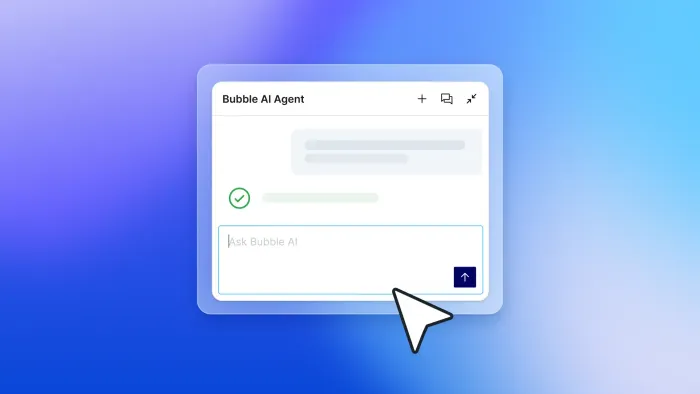
Once Bubble AI generates the first version of your app, you’ve got two ways to keep building and refining. You can ask the Bubble AI Agent (beta) to make changes through conversation, and it will explain how things work as it goes. Or you can open the visual editor yourself and adjust anything directly, right down to a single field or workflow step.
More on visual programming→
What does Bubble AI generate?
Bubble AI generates a complete, working foundation of your app from a plain-language prompt. Here’s what that includes.
Pages and components for web and mobile
Bubble AI generates the visual screens of your app, including buttons, forms, navigation, cards, and layouts. These show up already styled and connected to your data. You can click through everything as soon as generation finishes; nothing is a mockup you’ll need to rebuild later.
For native mobile (currently in beta), Bubble AI can generate native app UI using patterns like bottom sheets, tab bars, and stack navigation. The Bubble AI Agent recently expanded to build and edit every part of your mobile app, including workflows and data, and it can connect your app to third-party services automatically.
Visual workflows and logic you can edit
Workflows are how Bubble handles app logic (the rules that govern what happens when a user clicks a button, submits a form, or triggers an action). Bubble AI builds these as visual flowcharts you can read and edit directly.
You can see what each step does and change it, all without touching code. When the Bubble AI Agent builds or modifies a workflow, it does so step by step in the editor and explains what changed.
Database structure and privacy rules
Bubble AI creates the data types and fields your app needs to store and retrieve information. For example, a “User” data type with fields for name, email, and profile photo.
Data types work a lot like tables in a spreadsheet. You see the structure visually and adjust it with a few clicks, no SQL required.
Bubble AI can also generate privacy rules for new data types, especially when sensitive information is involved. These rules control who can see or edit your data, but treat them as a starting point rather than a finished product. Review them yourself before you go live to make sure they match what you actually need.
Smart sample data for testing
Bubble AI fills your database with sample records that match your app. For a job board, that might mean example listings and applicant profiles already in place. You can click through the whole app right away and see how it behaves with realistic content, instead of testing against an empty database.
How Bubble AI helps you generate, edit, and keep building
Bubble AI generates your initial app foundation from a prompt. Once your app exists, the Bubble AI Agent is where you turn for everything after that: adding features and fixing issues.
Bubble AI and the Agent aren’t separate products. They’re one system: Bubble AI builds your first version, and the Agent carries the work forward from there, step by step, in the same visual editor, so you can see exactly how your app works at every stage.
How Bubble AI builds an app
Here’s what the process looks like from prompt to working app.
Write a clear prompt
Describe your app in plain language. Something like “a job board where employers can post listings and applicants can apply” is a good starting point. The more specific you are about who uses the app and what they need to do, the better Bubble AI can scope what it builds.
Review and refine the blueprint
Before anything gets built, Bubble AI presents a blueprint (a structured list of suggested features and user stories based on your prompt). You can confirm what looks right and adjust the rest, whether that means removing things you don’t need or adding what’s missing. That way you’re steering the scope before Bubble builds anything.
Generate UI, database, and workflows
Once you confirm the blueprint, Bubble AI builds a working version of your app in one pass. That includes pages, UI components, visual workflows, database structure, sample data, and privacy-rule suggestions. It’s all generated together in the same visual editor, so nothing is left for you to wire up separately.
Generating your app only takes a few minutes, and when it’s done, you’ll have an editable foundation ready to preview and test.
Test with sample data
When you generate your app, it automatically includes realistic placeholder records, so you can click through and test behavior immediately without entering any data manually.
Edit visually or with the AI Agent
From here, you can keep building in two ways. Ask the Bubble AI Agent to add or change features through conversation — it builds changes step by step in the editor and tells you what it changed.
Or go directly into the visual editor to adjust any element yourself. Use whichever fits what you’re trying to do.
Deploy when ready
When your web app is ready, you can publish it with one click. Bubble handles hosting, security, and scaling.
For native mobile, Bubble helps package and submit your app to the App Store and Google Play Store from the same editor. Some first-time app store steps, like the first Google Play upload, may require manual actions in the developer console.
How Bubble AI compares to AI coding tools
Tools like Lovable, Bolt, and Replit also let you generate apps from a prompt, but they all generate some code you have to read and maintain. Bubble AI builds everything into a single visual editor. Design, database, privacy rules, and logic are all readable and adjustable in one place, right from the start.
| Bubble AI | AI coding tools (Lovable, Bolt, Replit) | |
|---|---|---|
| Output | Visual, editable apps | Code files, sometimes with a visual UI layer |
| When AI hits its limits | Edit design, data, privacy rules, and logic directly in the visual editor | UI may be visually editable, but deeper logic and backend changes often require prompting, code review, or developer help |
| Security model | Privacy rules visible and editable from the start; security dashboard included | Some tools offer security scans, but generated code, dependencies, and data-access settings still require careful review |
Visual apps, not code files
When an AI coding tool hands you code you can’t read, and something inevitably breaks, you’re left with two options. You’ll submit another prompt and check whether it worked (often over and over and over), or you’ll call in a developer.
But that doesn’t guarantee a fast fix either: One survey found that 45% of developers say debugging AI-generated code takes longer than writing it themselves from scratch.
With Bubble AI, you can see and change every workflow, database field, and design element yourself, right in the visual editor, no coding knowledge needed.
Edit anything, anytime, visually
Most AI coding tools lock you into one mode: Prompt until you’re ready to read the code yourself. Bubble lets you switch between the Agent and the visual editor at any point in the build. You can move fast with AI when you want speed, then switch to precise, manual edits when you want control, without losing your place or redoing work.
Built-in privacy rules and security scanning
AI coding tools have had real problems with production data. In one case, an AI agent deleted a company’s database during a code freeze. In another, security researchers found over 170 live Lovable apps with database security switched off by default in 2025, meaning anyone could read or change the data without logging in.
Incidents like these are a good reminder to double-check your data access, permissions, and security settings yourself before you launch, no matter which AI builder you use.
With Bubble AI, privacy rules aren’t left off by default. They’re created alongside your data types and show up in the privacy editor right away, and a built-in security dashboard checks your app for common vulnerabilities before you go live.
What can you build with Bubble AI?
With Bubble AI, you can build real, launchable apps on Bubble’s visual development platform. Here are a few types builders commonly create.
- SaaS products and marketplaces: Build a marketplace or subscription product with different types of users, like buyers and sellers. Bubble AI sets up your database for you, and you can connect payment services like Stripe for billing right from the visual editor.
- Internal tools and dashboards: Replace fragmented spreadsheets with a custom tool built just for your team, like an inventory tracker, CRM, or project dashboard connected directly to your existing data.
- Native mobile apps for iOS and Android: Generate and edit real iOS and Android apps with Bubble AI and the Agent, then fine-tune the UI, data, workflows, and backend logic yourself in the visual editor. Your app can tap into device features like the camera and push notifications, all while sharing one backend with your web app.
Where Bubble AI has limits
Bubble AI gives you a strong head start, but it doesn’t replace reviewing and refining your app yourself. Here’s where you should plan to step in.
- Privacy rules need your review: Bubble AI gives you a solid starting point with the database and initial privacy rules, but it’s still worth double-checking your privacy settings in the visual editor before you launch to real users, especially anywhere sensitive data is involved.
- Native mobile is still in beta: Give it a thorough test before you publish, since things are still evolving.
- The Bubble AI Agent’s mobile skills are in beta too: It can build and edit your whole mobile app now, data and workflows included, thanks to a recent update. You can always fine-tune anything yourself in the visual editor.
Start building with Bubble AI
Try Bubble AI and see firsthand how it works. Describe your app, and in minutes you’ll be looking at real pages, workflows, and a database. You can build anything for free, and only upgrade when you’re ready to go live.
Frequently asked questions about Bubble AI
Is Bubble AI free?
You can build and test on Bubble for free, including native mobile apps. To go live, you’ll need a paid plan: Starter to deploy a web app, or a Mobile-only or Web + Mobile plan to publish to the App Store or Google Play Store.
Is Bubble AI any good?
Bubble AI is built to get you to something you can actually launch. How good the result is depends a lot on your prompt: The more specific you are about what you’re building and who it’s for, the closer the first pass lands to what you pictured.
What makes Bubble AI different from AI coding tools?
Other AI tools generate code behind the scenes, so changes usually mean re-prompting or handing the code to a developer. Bubble AI builds everything, including workflows, database, and UI, directly into a visual editor you can open and edit yourself, though it’s still worth testing your app and checking the privacy rules before launch.
Can I edit what Bubble AI generates?
Yes. Everything Bubble AI creates exists in the visual editor. You can modify any design element, database field, or workflow step yourself using drag-and-drop tools, or ask the Bubble AI Agent to make the changes for you.
How do Bubble AI and the Bubble AI Agent work together?
Bubble AI and the Agent aren’t separate tools — they’re one system. Bubble AI generates your initial app foundation (pages, database, and workflows) from your prompt in a single pass, and the Agent is who you turn to afterward to add features, fix logic, and keep building inside the editor.
Build for as long as you want on the Free plan. Only upgrade when you're ready to launch.
Join Bubble