

In 2021, the young product analytics software company June.so achieved something many startups dream of: They were accepted into the prestigious Y Combinator startup accelerator. Since then, the June team has earned Product Hunt’s Golden Kitty Award for the #1 Data & Analytics Product of the Year and even partnered with us to help Bubble users visualize app metrics by using the Bubble-built Segment plugin with June.
Now, June’s doubling down on embracing the no-code community. With their official Bubble plugin, tailored specifically for business-to-business (B2B) software-as-a-service (SaaS) apps, Bubble users can easily get a full lifecycle read on who’s using their product — at a company level — from acquisition to churn.
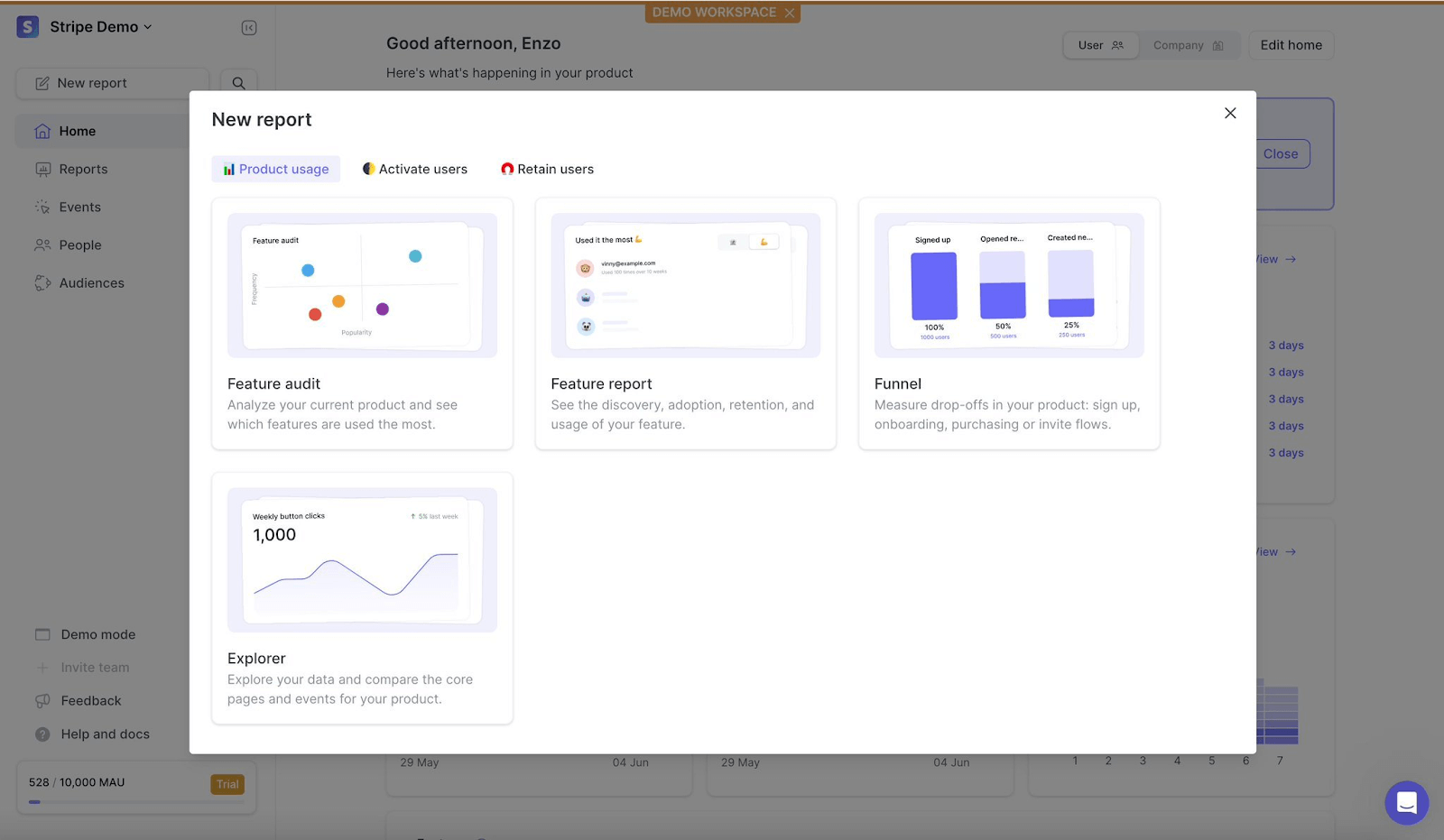
Why should you use the June Bubble plugin?
While other analytics tools spit out a random list of user IDs to parse through, June makes it easy to actually see your product usage data at a company level — a game-changer for anyone who has ever had the undesirable job of trying to map and aggregate anonymized data from disparate sources.
For founders who want an at-a-glance overview of product usage, product teams who want to understand feature popularity to inform roadmap strategy, and even customer success and sales pros who need customer data to do their jobs, the June Bubble plugin is perfect.
How does June for Bubble work?
Understanding how users are interacting with your Bubble app is vital for informing smart distribution, product, and sales strategies. Fortunately, the June plugin is a cinch to install and set up, even if you don’t already have a June account.
To use the free June plugin in your Bubble app, follow these steps:
- Sign up for June at june.so.
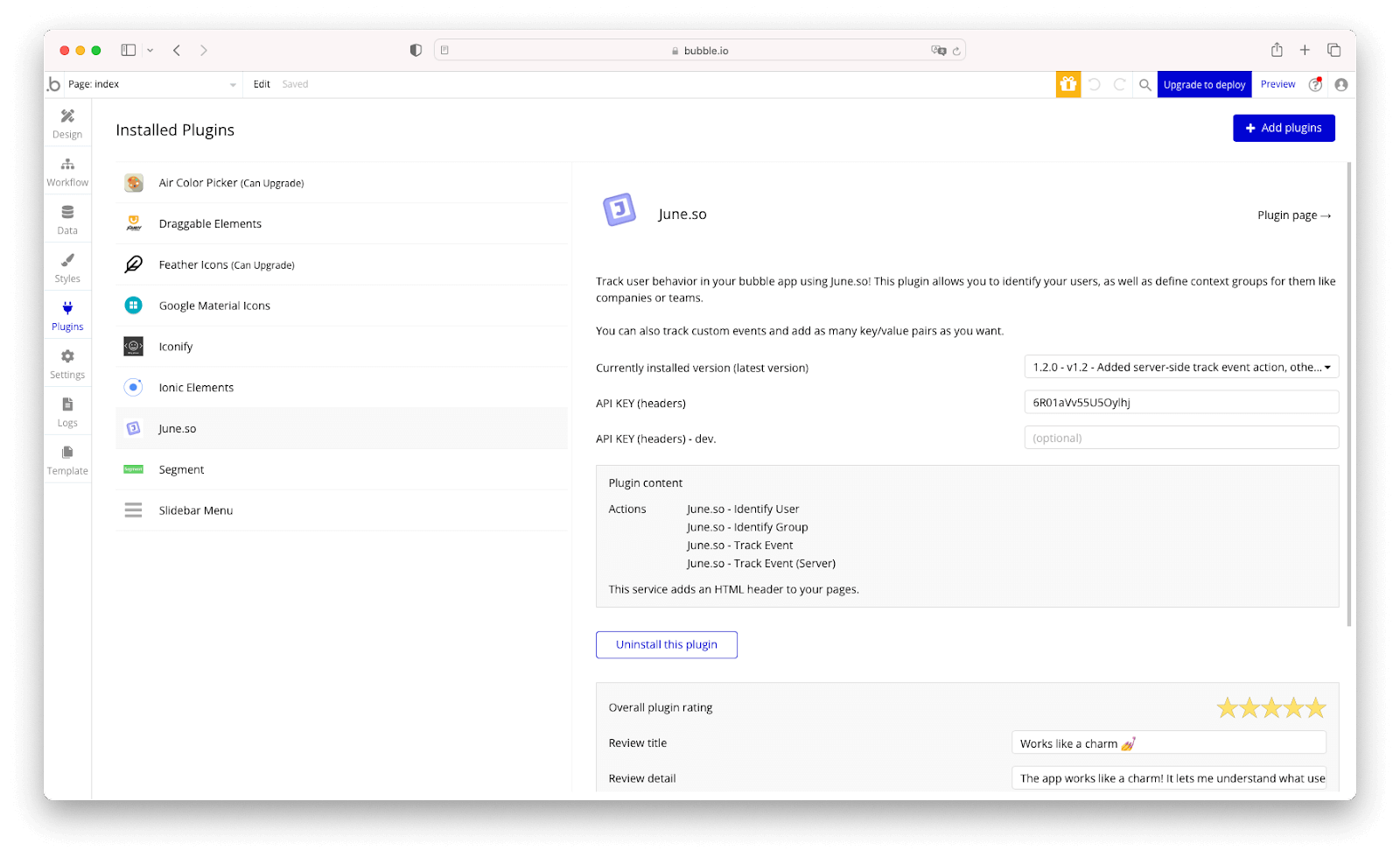
- Download the June Bubble plugin here.
- Copy your API key from june.so.
- Paste your API key in the plugin settings.
- Configure your Bubble plugin settings to identify users, identify groups, and track events.
Ways to use June in your Bubble app
You might already have a good sense of what you want to measure in your Bubble app — but if you need a starting point, here are a few popular ways to use Bubble and June together:
- Define and measure your key performance indicators (KPIs), such as active users, retention, and churn
- See which companies are interacting with your product the most versus least
- Understand your most and least engaged user types to help inform personas and product marketing efforts
- Learn which acquisition channels result in the strongest retention
- Measure which features are being used the most and by whom
- See “at risk” accounts and take action to re-engage the account before they cancel or lapse (for example, you may notice a particular company’s logins or usage start declining over time)
- Learn which accounts hold upsell opportunity (for example, you may notice a particular company is continually hitting their upper limit on a particular feature’s usage)
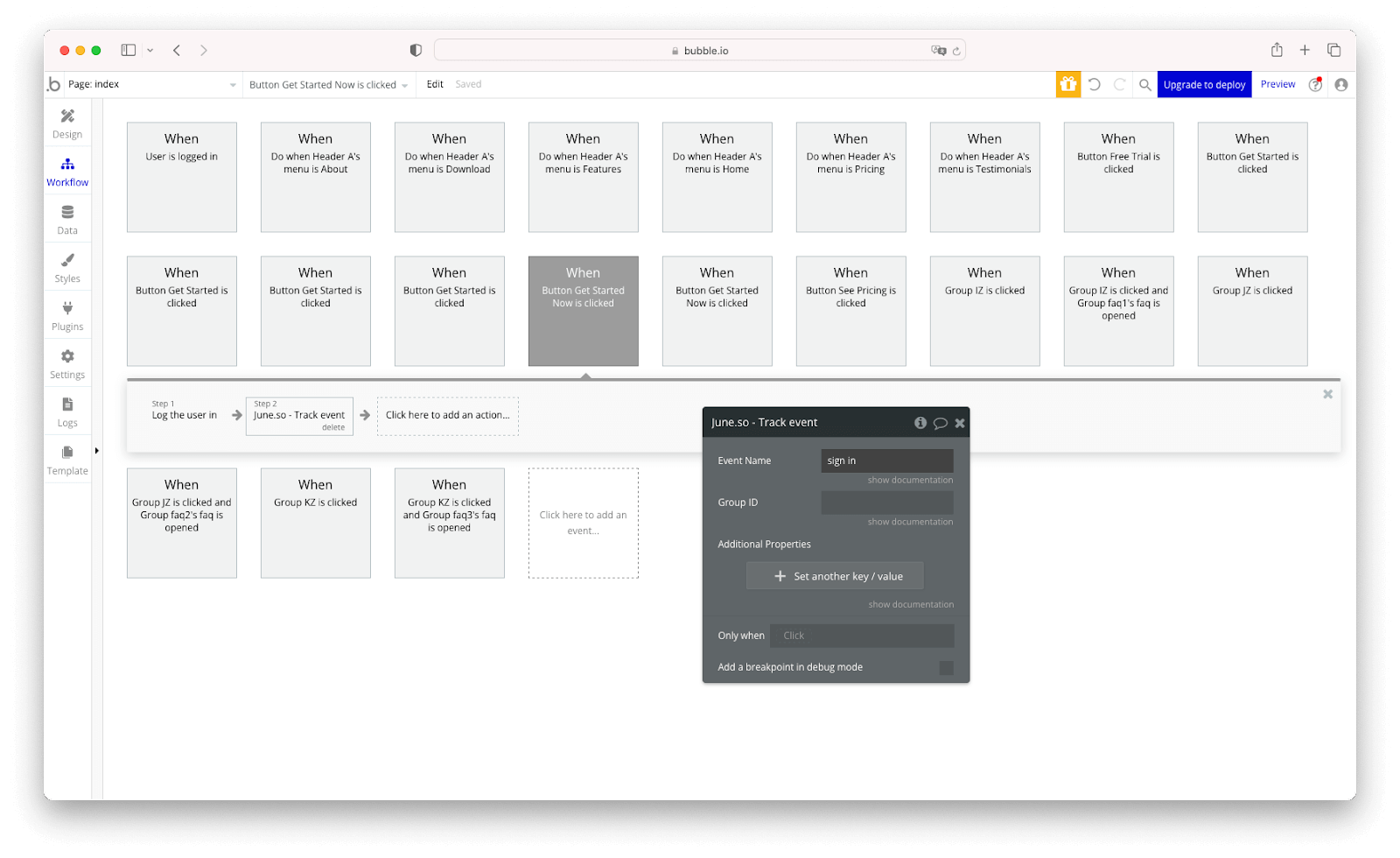
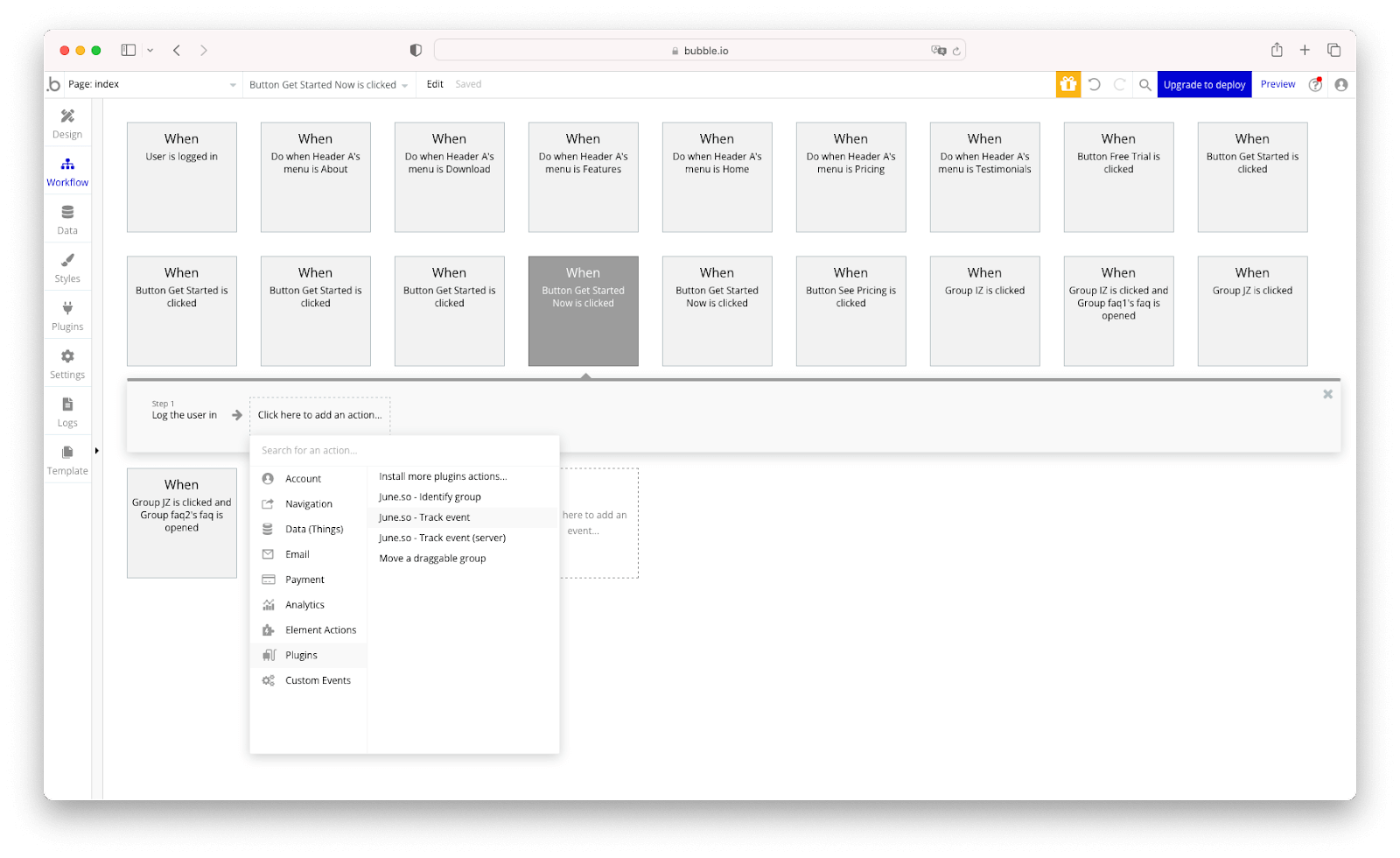
Need additional support for your June plugin configuration? Check out the June’s documentation on how to use June with Bubble.
Build for as long as you want on the Free plan. Only upgrade when you're ready to launch.
Join Bubble