TL;DR: Bubble's AI-powered visual app builder enables anyone to create game apps without coding by generating prototypes instantly and refining them through nine key steps—from defining core mechanics to launching on app stores with one click. The platform is free to start and particularly effective for 2D games, puzzles, and trivia apps, allowing beginners to build, test, and iterate quickly while learning through the development process.
Ready to create that game you've been thinking about?
Bubble's fully visual AI app builder lets you vibe code without the code — chat with AI when you want speed, edit directly when you want control. It accelerates the proven game development process — from AI-generated prototypes in minutes to launching on app stores with one click. This guide covers the nine steps of the game development process and shows how to leverage AI speed and visual control from concept to launch.
1. Define your game concept and core mechanics
A game concept defines what your game is about, while the core mechanic is the main action players repeat throughout gameplay. For example, players in Tetris slide and rotate a falling block shape with the goal of filling in as many rows at the bottom of the puzzle as possible.
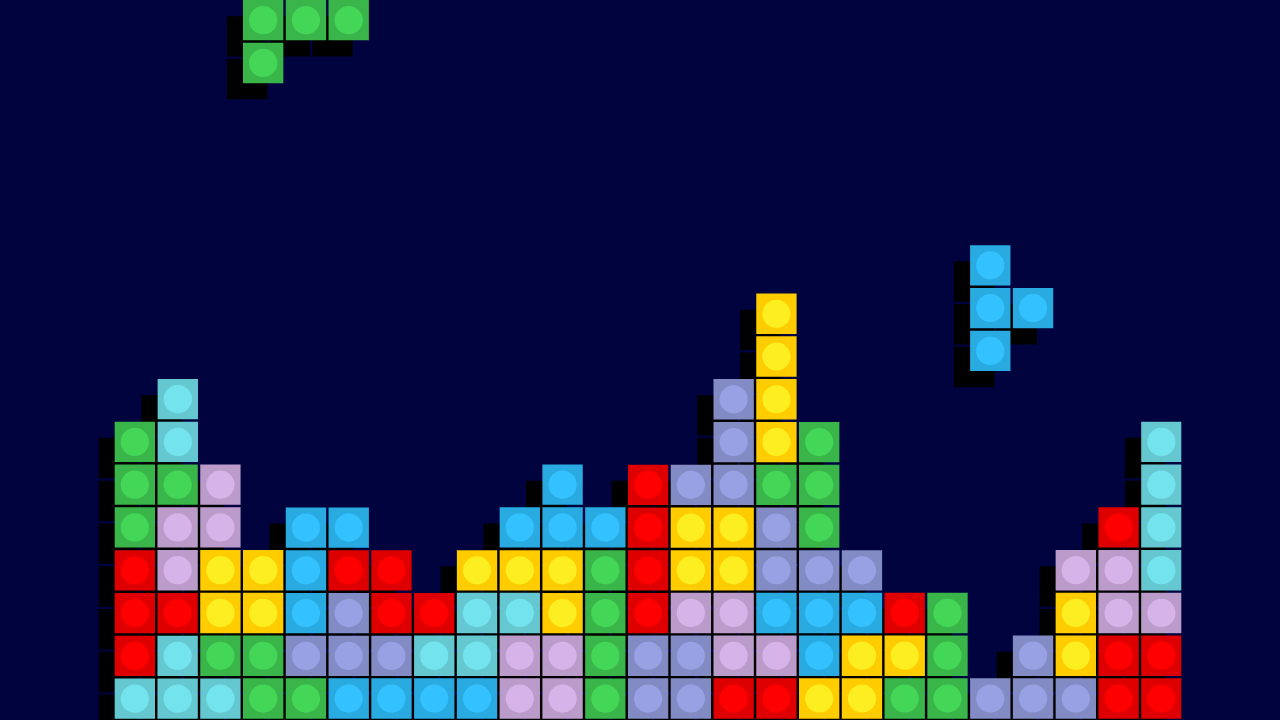
A great core mechanic makes your game fun, unique, and helps it stand out in a crowded market.
Once you have your core mechanic, choose your game type and target platforms. Graphics play a key role in these decisions:
- 2D graphics are perfect for platformers and side-scrollers and easier to develop
- 3D graphics create realistic experiences for first-person shooters but add complexity
Your graphics choice influences both game design and technology decisions. Platform options include:
- Mobile (iOS/Android)
- Computer (PC, laptop, tablet)
- Console (Xbox, PlayStation)
- Cross-platform (multiple devices)
2. Plan your budget and understand development costs
Game app costs range from a few hundred dollars for simple self-built games to hundreds of thousands for complex, professionally developed titles.
Key budget factors include:
- Game complexity impacts costs because more features mean higher costs
- Graphics style affects budget because 3D costs more than 2D
- Platform choices impact timeline because each platform adds development time
- Team help includes costs for artists, marketers, and developers
- Additional costs include software, marketing, and app store fees
Now that you know what kind of game you want to build, and have your core concept and game mechanic in mind, it’s time to validate the idea.
3. Research and validate your game idea
Use Bubble AI to generate testable prototypes instantly while you research the market:
- Explore similar games and use AI to generate versions of mechanics you like
- Play existing games in your genre and prototype variations with Bubble
- Test different approaches by generating quick prototypes — what makes a game fun vs. frustrating?
- Survey the competition and validate market size by building and testing your MVP
Get early feedback by pitching your game concept to gamer friends and interested parties. Ask them what would make them want to play your video game or what they find interesting about the idea. This will give you essential feedback to refine your idea before you invest significant time building it.
4. Choose your development platform and tools
Game development platforms provide the core capabilities you need — like animations and collision detection — defining your entire development process. The specific features in your game will help you determine which platform you choose.
For simple 2D games, trivia apps, or puzzle games, Bubble's AI can generate your game instantly, which you can then refine visually. Some people have used Bubble to make games like Wordle or an online level maker. With visual workflows, you see exactly how your game logic works. And when you need help, the AI Agent can explain, troubleshoot, and guide you through any part of your game.
For more complex games that require high performance and 3D graphics, you might consider a traditional game engine like Unity or Unreal Engine. Unity is widely used for mobile development and requires coding knowledge in C#; it offers a free Personal plan for creators with less than $100,000 in revenue or funding. Unreal Engine, known for high-fidelity 3D graphics, requires coding knowledge in C++ and charges a 5% royalty fee only after your game earns $1 million. You can also build your game from scratch using a programming language, though many games leverage existing patterns and building blocks already available on established platforms.
5. Create your game design document
While it may be tempting to skip this step, writing down your design. It forces you to think through all of the main elements of how to make a game the way you envision it.
The game design document also captures the research and validation you performed that led to this direction and offers helpful context to have later when fine-tuning. Include a brief project overview in your design document and important game design details. Don't forget to include a description of your target audience: How old are they (and are there any rating or content restrictions you need to consider when designing)? What other video games do they play? Which device(s) do they play them on? Do they want to have a way to interact with other gamers or do they prefer to play solo?
This document becomes your north star throughout development — helping you stay focused on what matters. With Bubble AI generation, you can quickly test whether generated prototypes align with your vision, making it easier to avoid scope creep that can derail your project.
6. Build your MVP or prototype
Use an agile approach to build your game. Start with the smallest viable working version — this lets you and others play and test the core mechanics early.
Use feedback from this prototype to enhance your game design through multiple iterations.
Bubble accelerates this stage — generate a working prototype in minutes — complete with database, responsive UI, and core workflows — then use the AI Agent to iterate or switch to visual editing for precise control over your game mechanics. See how you can easily create a trivia app using Bubble in this simple step-by-step tutorial.
7. Test your game thoroughly
Test extensively from both quality and usability perspectives before releasing to the public. Ever play something so clunky and frustrating it made you want to make your own video game out of spite? Test extensively and the people who play your game will thank you for it.
Verify the gameplay is smooth, fun, and appropriately paced, with surprising elements that differentiate it from existing games. A successful game is never slow, boring, or reminds you of something you've already played before.
Testing Bubble games is accessible to everyone, not just developers. Bubble's visual workflows make it easy to see how your game works, and you can simplify automated testing with Applitools Preflight's no-code testing platform.
8. Deploy and publish your game app
With Bubble one-click deployment, you can instantly publish your game to the web or push native iOS and Android apps directly to app stores. Follow the steps to deploy your game and publish it on your platform of choice — mobile app stores like Apple or Google Play, Steam, or itch.io.
Each platform has its own submission requirements and review processes, so give yourself time to navigate these steps. The effort you put into a polished submission — including compelling screenshots, a clear description, and proper categorization — will pay off in discoverability.
9. Market your game and gather user feedback
Marketing is critical to getting the word out to your target audience. Create a trailer and post it on your target platforms. It helps to have a playable demo even before it’s available for purchase or download. Be sure to optimize the app before promoting the game across social media and submitting it to the app store. If you’re looking to learn some tips and tricks on how to make your game stand out in the very crowded market of the video game industry, here’s an overview of app store optimization for games.
Learning ASO (app store optimization) for mobile games requires researching keywords, performing conversion rate optimization (CRO) and A/B testing, and tracking that data so you can make further improvements.
Once launched, gathering feedback is key. A common technique to get gamer feedback is called playtesting. You can also post polls on social media and create in-app questionnaires, feedback forms, and surveys. And don't forget to respond to player feedback! It'll help build interest around the game, especially when players see that improvements are being made based on the discussion.
Keep iterating and improving the game — you'll be glad you did.
Turn your game idea into reality with Bubble
The journey from idea to launched product involves AI-accelerated planning, instant generation, and continuous iteration based on player feedback.
Ready to start building the game you've been dreaming of? You can get started on Bubble for free and see how quickly your idea can become a playable reality. Start building for free.
Frequently asked questions about making game apps
How difficult is it to create a game app?
Difficulty depends on your game's complexity and chosen tools. With Bubble's AI generation, even complete beginners can create working 2D games in minutes. Complex 3D games still require significant expertise and specialized game engines.
Can I build a game app for free?
Yes, Bubble offers a free plan where you can build and test complete games with AI — including database, workflows, and hosting. You typically only pay when ready to launch publicly or need additional capacity.
How much money can I make from 1,000 app downloads?
Earnings vary greatly based on monetization strategy — from small amounts with ads to significant revenue with popular in-app purchases. Focus on building an engaging game first.
How long does it take to develop a mobile game?
Simple games can be refined and launched in weeks, while complex games may take months.
Do I need coding experience to make a game app?
No, Bubble's AI and visual editing tools require no coding experience, making it ideal for 2D games, puzzles, and trivia apps.
Build for as long as you want on the Free plan. Only upgrade when you're ready to launch.
Join Bubble