TL;DR: Visual programming builds software through graphical interfaces rather than text-based code, making development faster and more accessible for non-technical builders. In true visual programming languages, the visual elements are the programming language itself, with no traditional code generated underneath. AI integration now lets you generate a working app from a prompt and refine it in the same visual editor.
Millions of people are building software for the first time right now, mostly by describing what they want in plain language and letting AI generate it. That’s a remarkable shift. But it raises a question most people don’t stop to ask: What is the AI actually producing?
Usually, it’s code. Text-based, syntax-heavy, traditional code that you’d need years of experience to read, edit, or debug. Visual programming takes a different approach: You build with drag-and-drop interfaces, flowcharts, and block-based systems that let you see exactly how your app works.
This approach isn’t new; developers have been exploring it since the 1960s. But with AI now integrated into these platforms, you can generate a working app from a prompt and keep refining it, all without writing a line. This article covers what visual programming is, how it compares to traditional coding and AI-generated code, the types and examples you’ll encounter, and what makes true implementations different from other approaches.
What is visual programming?
Visual programming is a way of building software using graphics and images rather than text-based code. You work with visual representations of logic and data instead of writing syntax a computer has to interpret. Instead of writing lines of code, you work with visual elements like drag-and-drop interfaces, flowcharts, or block-based systems to create applications. In true visual programming languages like Bubble, the visual elements are the programming language itself — no traditional code is generated underneath.
For a long time, visual tools covered the frontend (drag-and-drop website builders, design tools), but building real backend logic visually remained out of reach. Many questioned whether it could ever handle the complexity of a real application.
That question has been answered. Over the last 10+ years, roughly 6 million builders have created 7 million apps on Bubble, from simple prototypes to complex, scalable products. Today, Bubble also lets you generate a working app from a text prompt, then customize every detail without writing code.
Visual vs. traditional programming
Both visual programming and traditional programming can produce complex, scalable software. The difference is in how you communicate with the computer.
With traditional programming, you write text-based code in a language like Python, JavaScript, or Java. It offers a lot of flexibility, but there’s a steep learning curve, and debugging means hunting through lines of syntax to find what went wrong.
With visual programming, you work directly with the elements you’re building: drag-and-drop interfaces, flowcharts, data structures. You can see your app’s logic laid out in front of you, which makes it faster to learn and easier to troubleshoot. In true visual programming languages, the visual elements are the programming language itself, so there’s no hidden code layer underneath.
With AI now part of the picture, you can also generate a working app from a conversational prompt and refine it from there, all without writing code.
| Visual programming (e.g., Bubble) | Traditional programming (e.g., Python) | |
|---|---|---|
| How it works | You build through visual elements that are direct commands, with no code underneath. | Text-based languages typed into an editor using specific syntax. |
| Ease of learning | Faster to learn; the interface is understandable without a programming background. | Complex; typically takes months to years depending on the language. |
| Skill needed | No coding expertise required. Non-technical builders can start immediately. | Significant expertise built over years of dedicated study. |
| Development timeline | Faster to build and iterate since you work directly with what you're building. | More setup and coding work required, especially without existing frameworks. |
Types of visual programming
Visual programming covers a range of approaches. Here are the main categories you’ll encounter:
- Flowchart-based programming: Logic is mapped as connected shapes and lines, like a business process diagram. Each shape is an action or decision; the lines show how execution flows. It’s useful when you need to see the full path of a complex workflow at a glance.
- Block-based programming: Made popular by tools like Scratch, this method uses interlocking blocks that each represent a snippet of code. You snap them together to build scripts and logic. It’s a good way to learn programming concepts without worrying about syntax.
- Drag-and-drop (WYSIWYG) programming: You build by placing UI elements like buttons, text, and images directly on a canvas. What you place is what your users will see. You can attach logic and workflows to those elements to build fully functional applications. In true visual programming tools, the visual elements themselves are the program, not a layer on top of hidden code. Bubble takes this further: Use Bubble AI to generate a working app from a description, refine everything with drag and drop, and ship it without ever touching code.
Examples of visual programming languages
Frontend tools (like Wix or Squarespace) and design tools (like Figma and Sketch) give you visual control over how something looks. But they don’t cover the full stack. AI coding platforms like Lovable go further and let you build functionality visually, though they still generate traditional code underneath, so you’re ultimately working with JavaScript rather than a true visual programming language.
Fully visual programming languages let you build web apps and mobile apps with complex logic, data, and workflows through visual interfaces. Examples include:
- Visual Basic: A Microsoft language that includes visual design tools in its IDE. The classic version (VB6) is deprecated, while VB.NET remains actively maintained. Either way, it’s a text-based language at its core, not a true visual programming language.
- Scratch: A block-based tool built for teaching programming. You link code blocks to control characters and create animations, games, or stories without writing syntax.
- Hypercard: Apple’s 1987 platform that used “cards” linked into “stacks” to build interactive applications. An early example of what visual programming could look like.
- Bubble: A full-stack visual programming language where every element, workflow, and data structure in the editor is a real command your app runs. You build directly with the things you care about: Buttons, data, user interactions. No syntax to translate. Bubble also lets you generate a complete app from a conversational prompt, all while keeping everything visual and editable.
History of visual programming languages
Visual programming has a longer history than most people realize. Early experiments in graphical programming in the 1960s and ‘70s began mapping machine actions to visual representations. The ‘80s and ’90s brought tools like HyperCard (1987) and Visual Basic (early 1990s) that let developers build applications with drag-and-drop interfaces rather than pure text. Visual Basic was still a text-based language underneath, but its IDE showed that visual tooling could make programming more approachable.
Around the same time, frontend no-code development tools were gaining momentum. WordPress and Webflow let people build websites with little technical knowledge. But they mostly covered the frontend — backend logic and data structures remained out of reach.
One of Bubble’s founders, Josh Haas, got the idea for Bubble in 2012 partly from Visual Basic. He was exploring “domain-specific” programming languages: The idea that a language should be built around the tasks its users actually need to do. He describes the early Bubble concept as “if you started with an IDE before building the programming language underneath it.” The goal was a true visual programming language for complex web applications, not a tool that generates traditional code.
Graphical interfaces once took computing from a technical specialist’s task to something anyone could do. Visual programming is doing the same for building software, and AI has accelerated that shift further.
Benefits of visual programming
More accessible
Visual programming lowers the barrier to building software. You don’t need a computer science degree or years of coding practice to get started.
By using interfaces that humans can understand directly, it reduces the barriers to entry for software development. That shift has real consequences: Anyone can build anything from a spreadsheet tool to manage your nephew’s Little League team to the next major tech company, without having to raise major funding rounds or live in a major tech hub.
Faster development
Building visually is faster because you work directly with what you’re creating. No translating ideas into syntax first. Visual platforms support:
- Pre-built components and templates: Instead of coding common UI patterns from scratch, you start with tested building blocks and customize them to your needs. A signup form, dashboard layout, or payment flow that would take hours to scaffold in code can drop in and be customized in minutes.
- Reusable elements: Update a component in one place and the change applies throughout your app. A reusable header element, for example, updates everywhere it appears the moment you edit it.
- Direct manipulation of visual interfaces: What you place on the canvas is what runs in your app. There’s no translation step between building and shipping.
With traditional coding, foundational pieces often have to be set up from scratch or wired together through frameworks and libraries. With a visual programming language, you don’t have to reinvent the wheel each time, allowing you to move faster.
This makes rapid prototyping and iteration possible, supporting quick-to-market minimum viable products (MVPs) or scaling your startup. Iteration is also faster, giving you the advantage of speed, flexibility, and agility to meet users’ needs in a fast-paced world.
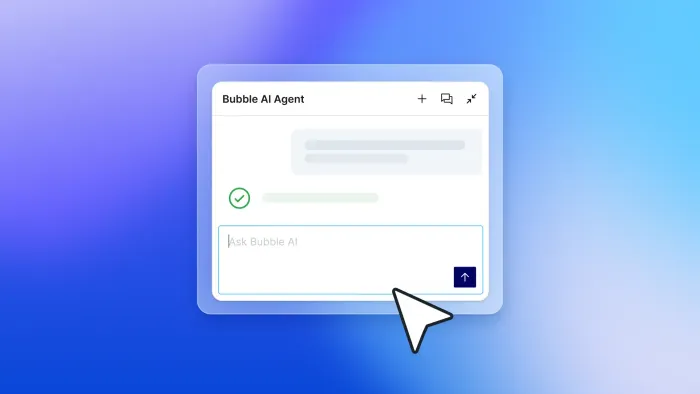
AI makes visual programming even faster. Bubble’s AI app builder can generate a working web app foundation from a prompt, and the Bubble AI Agent (beta) can help you iterate with supported UI, expression, data type, option set, and frontend workflow edits. You can then refine and customize by either chatting with the Agent or using the same visual tools, combining the speed and convenience of AI with the precision of visual editing.
Easier debugging
Visual programming lets you test and debug through the same interface your users will see, without hunting through lines of code. You can see how your logic flows and where issues occur because the visual interface is the programming language itself, with no hidden code layer to decipher. BubbleGo also helps you test native mobile behavior on a real device, though some mobile-only features like push notifications and camera workflows require device or app-store testing rather than web preview.
This direct visibility into your app’s logic makes troubleshooting more intuitive and faster than traditional debugging methods. The Bubble AI Agent can also troubleshoot issues, explain how workflows work, and suggest fixes through conversational prompts.
Human-first
Traditional programming languages are based on how computers work. They’re machine languages that developers have to learn how to “speak” to communicate to the computer and program.
Visual programming languages flip this paradigm. The language is based on what’s easier for humans to understand: visual representations of logic, data, and workflows, then executed by the computer. A human-first programming language underlies many of visual programming’s other benefits.
This human-first approach helps you stay in your user’s shoes the entire time by working with a visual-first interface that mirrors the user’s experience. This often makes it easier to develop intuitive, easy-to-learn UI and UX.
Effective teaching
Visual tools are also good for learning. They separate “coding” from “programming”: Coding is just one way to express logic, while programming is the underlying skill of thinking through how something should work. You can develop that skill without writing a line of syntax.
That makes visual programming a natural starting point for beginners, and useful for developers who don’t work in English, since most traditional languages are built on English syntax. With AI integrated into the platform, you can also ask questions as you build, which makes picking things up feel a lot more like a conversation than a course.
Who is visual programming for?
Visual programming isn’t just for one type of builder. Here’s who tends to find it most useful:
- Non-technical founders and entrepreneurs who want to build and launch real products without hiring a development team. Instead of prompting an AI coding tool and hoping it gets things right, you can build exactly what you have in mind and stay in control as it evolves. A founder building a marketplace can define their own data structure, set up payment flows, and customize the user experience on their own schedule.
- Business operators and internal tool builders who need custom software but can’t get engineering time. When off-the-shelf tools don’t fit and a ticket to engineering means waiting months, visual programming lets you build the dashboard, CRM, or approval workflow yourself, often in an afternoon.
- Educators and students learning how software works. Visual tools let students focus on the logic of programming without getting stuck on syntax, which means faster progress on the concepts that actually matter: Conditionals, loops, data structures, and how systems fit together.
- Professional developers and agencies who want to move faster without losing control. Building the frontend, database, and core logic visually takes a fraction of the time of traditional coding, freeing up custom code for the edge cases that actually need it.
Bubble’s approach to visual programming
Visual elements are the programming language
Unlike AI coding tools that generate JavaScript underneath a visual interface, the visual elements in Bubble are the programming language itself. Every element, workflow, and data structure you see in the editor is a real command your app runs, not a representation of hidden code. When you generate an app with Bubble AI, it builds those visual elements directly, so what AI creates is as editable as what you build yourself.
What you see is what you get (WYSIWYG)
The editor takes a “what you see is what you get” approach. Drag and drop elements (containers, text, images, buttons) and they display exactly as they will in your live app.
Logic built from plain language
The workflow system lets you build logic using plain sentences, for example: “When a user does x, then send an email.” It makes smart assumptions based on conversational input, simplifying actions and workflows while supporting advanced techniques when you need them. You’re building logic through a visual, human-readable interface, not writing code or deciphering what AI generated.
The power of traditional programming without the code
Visual programming gives you the depth of traditional development with a fraction of the learning curve.
You can build a wide range of production-ready web and native mobile apps without learning Python or React, and without generating traditional code underneath. Highly specialized or hardware-level use cases may still require custom code or integrations.
Bubble’s visual editor gives you visual tools to express the concepts you want to build (a button, an input, a search bar) with familiar vocabulary. Building an app for restaurants means creating data types for your restaurant, menu, food items, and customers. A button element specifies what it does when clicked, all through visual interfaces.
“Bubble empowers people to create tech using their vocabulary, not the other way around.” — Josh Haas, co-founder and co-CEO of Bubble
Open-ended possibilities
Simple websites and pre-made templates are a starting point for some tools, but not here. The platform is open-ended, with the ability to connect to thousands of other services through the API Connector.
Builders have used it to solve startup problems, launch businesses, and create careers building templates or teaching others. Developers contribute to the plugin marketplace, and software companies create custom integrations.
Build natively on web and mobile
The platform was originally designed for building web apps, and that remains a core strength. Native mobile development for iOS and Android is now also supported through the same visual editor, currently in beta with capabilities still expanding.
These are true native mobile apps powered by React Native, not web apps wrapped in a mobile container. You can generate mobile front-end screens with Bubble AI, customize them visually, and configure device capabilities such as camera, location, and push notifications in the same canvas you use for web.
Web and mobile apps share the same database, backend workflows, and API access, so there’s no duplicate backend work. Preview on your phone with BubbleGo, then submit builds for the App Store and Google Play Store through the mobile publishing flow, with Apple and Google developer accounts, testing, and store review still required.
Learn visual programming with Bubble
The gap between having an idea and being able to build it used to require a development team, a budget, and months of time. Visual programming has changed that. Whether you’re building a marketplace, SaaS tool, CRM, or native mobile app, the same approach applies: Describe what you need, build it visually, and ship it yourself.
If you’re a founder or have a big idea for an app, try building it yourself on Bubble. Bubble AI generates a working foundation from a prompt, and you take it from there.
You’ll also find plenty of resources: The Bubble Manual, how-to-build guides, and video tutorials. The fastest way to learn is by building with AI assistance and asking questions as you go.
Frequently asked questions about visual programming
What is visual programming with an example?
Visual programming is a development method that represents program logic as graphical elements — blocks, icons, flowcharts, and drag-and-drop components, rather than as text-based code. For example, instead of writing lines of JavaScript to create a user login flow, you drag a login form onto your canvas and visually connect it to a “sign the user in” workflow action. The visual connection between the form and the action is the program itself.
Is visual programming better than coding?
Visual programming is generally better for founders, operators, and teams who want to build and iterate quickly without managing complex syntax or infrastructure. Traditional coding has the advantage for highly specialized algorithms or hardware-level integrations, though the most effective approach today often combines AI generation for speed with visual editing for precise control.
Can visual programming handle complex business logic and databases?
Yes. Visual programming languages like Bubble can handle complex databases, workflows, and business logic without generating traditional code underneath. Some highly specialized use cases may still require custom code or integrations.
Is visual programming suitable for enterprise applications?
Yes. Bubble’s platform is SOC 2 Type II compliant for security, and Enterprise customers can use features such as SSO, privacy rules, and enterprise hosting options as part of their own compliance programs.
What’s the difference between visual programming and AI coding tools?
AI coding tools generate traditional code (like JavaScript or Python) that you can modify to some extent, but you’re ultimately working with text-based code underneath, even platforms that claim to be “no-code” because you can chat with AI. Visual programming languages like Bubble don’t generate traditional code at all: The visual interface itself is the programming language, so when Bubble AI generates an app, it’s creating visual programming elements, not code.
Build for as long as you want on the Free plan. Only upgrade when you're ready to launch.
Join Bubble