Walk-Through: Use the App Search Tool to Quickly Find Element Styles

Learn how to use the app search tool to more quickly find elements styles in use in your app.

Abhinav Narain
February 13, 2024 • A quick read
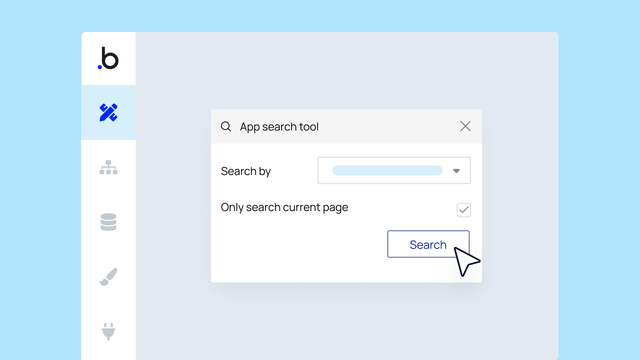
App search tool window open in the Bubble editor on a light blue background. A mouse icon hovers over the search button.

Do you want to change the way a button looks in your Bubble app but you’re not sure where else you’re using that same element style? Enter: the app search tool. This is a quick and easy way to find all the elements using a particular style, no matter if your app is one page or 20. The app search tool isn’t new, but thanks to some big UX improvements in the styles tab, it’s now easier to use existing, helpful features like this one. 


To find all elements using the same style in your Bubble app:

  1. Select the element to open the property editor and click Edit style under the Style Attribute dropdown or open the styles tab. 
  2. Click Find elements in use on the rightmost side of your screen.
  3. This will launch the app search tool. You can see how many elements use this style, what pages they’re on, and see what they look like. Clicking on an element will take you to that page in your app. 

Bonus: You can use the app search tool to find more than just element styles. It works to help you quickly find almost anything in your app. Access it at any time by clicking the magnifying glass in the toolbar.

Start building for free

Build for as long as you want on the Free plan. Only upgrade when you're ready to launch.

Join Bubble

LATEST STORIES

Bubble vs. Lovable Comparison: Which AI App Builder is Right for You?

Bubble vs. Lovable Comparison: Which AI App Builder is Right for You?

Find the right no-code AI app builder for your project with our in-depth comparison of Bubble vs. Lovable, including app output, iteration quality, customization tools, technical experience needed, and more.

Bubble
September 30, 2026 • 22 minute read
Bubble vs. Webflow: Comparing the Top No-Code Platforms

Bubble vs. Webflow: Comparing the Top No-Code Platforms

Bubble is a full-stack, visual programming tool for building web and mobile apps, while Webflow is built for designing and publishing websites. Here's how to decide which is right for your project.

Bubble
September 30, 2026 • 19 minute read
No-Code AI Agent Builder: What You Can Build on Bubble

No-Code AI Agent Builder: What You Can Build on Bubble

With no-code AI agent builders you can build AI-powered agents that take actions automatically and work across websites, web apps, and mobile apps.

Bubble
September 28, 2026 • 11 minute read
Bubble livestream promo: Demo Day + AMA with Emmanuel Straschnov, September 24, 2026, 11 AM ET, with headshot and Bubble logo

September Demos and AMA: MCP, Conversational Generation, and Launch Lab's Winners

September demos were all about flexibility and control. Emmanuel showed an early look at MCP and a more conversational way to build, then answered community questions and announced Launch Lab's winners.

Emmanuel Straschnov
September 25, 2026 • 9 minute read

What Can You Build on Bubble? 25 Examples to Inspire You

September 08, 2026 • 13 minute read

The Easiest Way to Build a Custom CRM With AI

September 01, 2026 • 17 minute read

What Is Bubble AI and How Does It Build Apps?

August 19, 2026 • 8 minute read

See How We Redesigned the Property Editor for Better Building

December 11, 2025 • 4 minute read

The Future of Bubble’s Editor: Introducing the New Workflow Tab

October 11, 2024 • 3 minute read

Build the next big thing with Bubble

Start building for free