
TL;DR: Bubble and Base44 both generate apps from a prompt, but they differ in what you can change yourself afterward. Base44 offers visual UI edits and handles logic and data through prompts and code, while Bubble keeps everything, including the design, logic, data, and privacy rules, visual. This comparison also covers the backend, native mobile, security, pricing, and more.
AI app builders have changed how software gets built, and most of them can get you to a convincing first version. If you’re choosing a builder for an app you plan to run as a business, that’s only the start. The harder part comes next: the changes customers ask for, the user data you need to protect, and getting the app into the app stores.
Base44 calls itself a no-code AI development platform. In reality, while there are ways to avoid working with the code it generates, it’s still an AI coding tool. It offers visual UI editing, code-level controls, and backend functions depending on plan, plus Superagents, personal AI agents that run tasks for you in the background.
Bubble, on the other hand, is truly no-code. It’s a fully visual app builder with no generated code behind your app: The visual version is the app, so anyone can understand every part of it and control every detail. You build with the Bubble AI Agent, edit directly in visual workflows you can read and change, and build native iOS and Android apps from the same editor with Bubble for native mobile apps.
Below, you’ll see how each platform handles building and changing your app, design, data, mobile, security, and cost, and which one fits the way you like to build.
Bubble vs. Base44 at a glance
The main difference between Bubble and Base44 is how much of your app you can see and change yourself after the AI generates it. Because Base44 is an AI coding tool, its visual tools stop at the UI. Changes to logic and data go through the AI chat, which uses message credits, or through code-level controls like in-app code edits, backend functions, and GitHub, depending on plan. On Bubble, the design, logic, data, and privacy rules are all visual, whether you build them with the Agent or by hand, so you can see how every part of your app works and change any of it yourself. You can also build native iOS and Android mobile apps from the same editor as your web app.
Here’s how they compare feature by feature, including what each one costs.
| Feature | Base44 | Bubble |
|---|---|---|
| First version | A web app from a prompt | A web or mobile app, after a planning session |
| Changing your app | AI chat, visual UI edits, or code | The Agent, or edit any layer visually |
| App logic | Generated code, changed by prompt or code edits | Visual workflows in plain language |
| Design | Theme controls plus per-element styling | Pixel-level responsive control and reusable styles |
| Backend and database | Built in, with TypeScript backend functions | Built in and visual, with no SQL |
| Native mobile | ❌ A web app in a native wrapper | ✅ Native iOS and Android, sharing one backend with web |
| Privacy and security | SOC 2 Type II, ISO 27001, security scan | SOC 2 Type II, visual privacy rules, security dashboard |
| Hosting | Built in, with custom domains on paid plans | Built in, with one-click deploys and auto-scaling |
| Starting price | Starter: $16/month billed annually, $20 monthly | Starter Web: $32/month billed annually, $39 monthly |
| AI credits | Message credits for AI changes, integration credits for services | Monthly allowance; generating apps and visual edits don’t use credits |
| Collaboration | Multi-user editing with workspace roles | Real-time editing with permissions the Agent follows |
| Integrations | Built-in services, connectors, and MCP | API Connector, plugins, and the Bubble MCP (beta) |
| Technical expertise | Little to start; code for deeper changes | A learning curve, with the Agent explaining as you go |
| Code ownership | ZIP or GitHub export; the backend stays on Base44 | A rebuild in code with the Bubble MCP (beta) |
| Best for | Fast web apps built prompt-first | Apps you’ll run and keep changing yourself |
Choose Base44 if you mainly want a web app up quickly and you’re comfortable using prompts and code-level controls for changes beyond the UI. Choose Bubble if you’re building an app you plan to run as a business, like a SaaS product, marketplace, or mobile app, and you want to understand and control its data, logic, and privacy rules.
App generation and iteration
Both platforms start the same way: You describe your idea, and the AI builds a first version. Here’s what that looks like on each, and how you keep changing your app from there.
Generation and iteration on Base44
Base44 generates your app from a prompt. If you choose Plan from the prompt box first, Base44 works through your app’s goal, audience, core flows, and design with you, asking one question at a time, and planning messages cost a fraction of a credit each. From there, you can keep changing your app in several ways:
- Keep building in the AI chat: In Build mode, the AI makes the changes you describe. In Discuss mode, it talks through an approach and proposes a plan you can approve or reject. You can attach images, PDFs, or spreadsheets, or import a Figma frame, and on the Builder plan and higher, you can choose the AI model. Prompts use message credits.
- Edit UI by hand: Click Select, then pick any element on a page to change how it looks, like its colors, fonts, and spacing, in the styling toolbar, without using credits. These edits cover appearance only, so changing what an element does still goes through the AI chat, which uses message credits.
- Work in the code: In-app code edits come with the Starter plan and higher, while backend functions and two-way GitHub sync need the Builder plan or higher.
When something breaks, Base44 flags JavaScript errors, and Resolve with AI sends them to the chat to fix, without using credits on paid plans. You can also revert a prompt’s changes or restore an earlier version from version history.
If Resolve with AI or a follow-up prompt doesn’t fix it, your options are more prompts, each using message credits, or reading the generated code yourself. More prompts tend to have diminishing returns: A December 2025 study found that AI models’ debugging ability drops 60–80% after just two or three attempts. For a stubborn bug, that usually means opening the code.
Generation and iteration on Bubble
On Bubble, generating and editing are one conversation with the Agent. It starts with a planning session: The Agent asks clarifying questions and drafts a blueprint with you before anything is built. Then it generates pages, the database and schema, privacy rules, and core visual logic, all visible and editable from the first moment, without using AI credits. From there, you can keep working on your app in several ways:
- Keep building with the Agent: Ask the Agent to add features, troubleshoot, or explain what it built. It asks before it guesses, shows you what it’s about to do, summarizes what changed, and checks its own work with the issue checker as it builds. For anything it can’t build yet, it gives step-by-step guidance. Building and editing with the Agent uses AI credits from your plan’s monthly allowance.
- Edit directly in the visual editor: When you want precise control, click into any element, workflow, or data type and drag and drop to change it yourself, with no prompting. Visual edits don’t use AI credits.
- Build from Claude or ChatGPT: The Bubble MCP connects your Bubble app to AI tools you may already use, through Bubble’s connector in Claude and its plugin in ChatGPT. Everything it builds stays visual and editable in the Bubble editor.
The issue checker flags any problems as you build, like a button with no workflow, and the Agent can fix supported issues for you. If you turn on sample data access in your app’s settings, the Agent can also use that data for more accurate debugging. You can step through workflows in debug mode and roll back to an earlier version anytime.
Bottom line: Base44 is a strong pick if you’re happy to build by prompt and work in code when the logic needs to change. If you’d rather see every workflow and data rule and change them yourself, with or without the Agent, Bubble is the better fit.
Design and customization
Responsive design refers to a layout that automatically adjusts to fit different screen sizes (phone, tablet, and desktop), so your app looks right everywhere. Both platforms handle this, but they differ in how much direct control you have over the final design.
Design on Base44
Base44’s AI-generated apps start from clean, modern defaults and adapt to mobile screens automatically. You can preview pages in desktop, tablet, and phone views, then refine the design in a few ways:
- Theme panel: Set color roles and fonts for your whole app in one place, including uploaded brand fonts.
- Styling toolbar: Select any element to change its colors, typography, margin and padding, corner radius, and opacity, or add custom Tailwind classes. These hand edits don’t use credits.
- Canvas: See all your app’s pages side by side on an infinite board, sketch or leave sticky notes on them, and send notes to the AI chat.
- Components and templates: Save your own components to reuse, add ready-made ones, or start from an app template.
Bigger changes, like layout structure, go through the AI chat, which uses message credits, or through in-app code edits on paid plans.
Design on Bubble
Bubble’s visual editor gives you precise control over responsive web and mobile design, with no code required. You refine what the Agent generates by hand, so your app looks like your brand:
- Pixel-level control: Adjust padding, width, color, typography, and spacing for any element directly in the visual editor, without a prompt.
- Reusable styles and components: Define a design system once, and changes carry through consistently everywhere you use it.
- Responsive layouts by default: The Agent generates apps that are already responsive, giving you a solid foundation to refine from.
- Screenshots and Figma files: Upload a screenshot or a Figma file to the Agent, or share one through the Bubble MCP, to show the look you have in mind. Then fine-tune the result by hand in the editor.
Bottom line: Base44’s styling tools cover a lot of visual polish without credits, but layout changes still go through the AI or code. If you want to control layout, reusable styles, and responsive behavior by hand, Bubble gives you more to work with.
Backend and database
The backend is the part of your app users don’t see: the database that stores their data and the logic that processes it. Data types are the categories of information your app stores, like “User” or “Order.”
Backend and database on Base44
Base44 includes a built-in backend and database on every plan:
- Entities and login: The AI sets up your data models, which Base44 calls entities, along with user login. Login options include email and password, Google, Microsoft, Facebook, and Apple.
- Data section: View and edit your app’s records in the Data section of its dashboard.
- Backend functions: Write custom server-side logic in TypeScript, on the Builder plan and higher.
- Test data: On the Builder plan and higher, turn on test data to get a separate, empty database for testing, while your published app keeps using production data.
Backend and database on Bubble
Bubble’s database is built in and visual, so your data structure and backend logic stay visible and editable:
- Built-in visual database: Design data types, like “User,” “Order,” and “Message,” and their relationships in a visual interface, with no SQL required.
- Agent-generated schema: The Agent generates the database and schema from a prompt and can explain its data structure decisions.
- Backend workflows: Process data in bulk and run scheduled or recurring tasks with backend workflows you build visually or with the Agent.
- Development and live databases: Every app has separate development and live databases, so you can test changes without touching your users’ data.
Bottom line: Both platforms include a database and user accounts out of the box. If you’re comfortable writing TypeScript for custom server logic, Base44’s backend functions give you room to extend. If you’d rather see and change your data structure and backend logic visually, Bubble is the better fit.
Mobile app development
Native mobile apps are built specifically for iOS and Android, so they can use device features like the camera and location and work the way people expect apps to on their phones. A wrapped web app can get into the app stores too, but it’s still a website running inside an app shell. That’s the main difference between the two platforms’ approaches to mobile.
Mobile on Base44
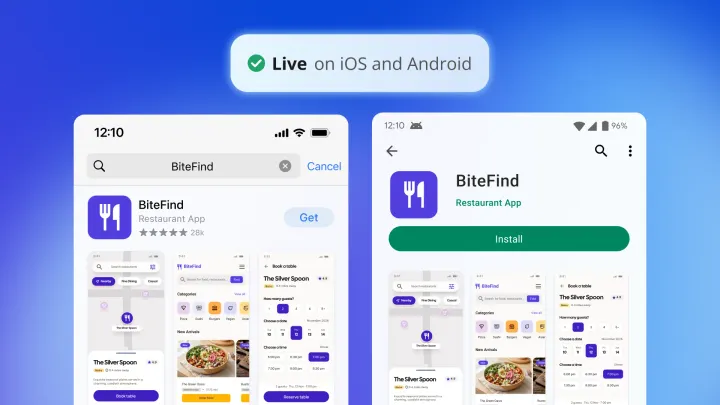
Base44 doesn’t build native mobile apps. To get into the App Store and Google Play Store, it wraps your published web app in a lightweight native shell that runs it inside a web view. There’s no separate codebase, so changes to your web app flow through to the wrapper. The tradeoff is that your screens are still web pages, so navigation and gestures may not feel like a native app’s, and the app needs a connection to load, since offline mode isn’t supported. Here’s what’s involved:
- Store files: Generate them from the Mobile app tab of the Publish panel, on the Builder plan and higher. Your app’s logo becomes the icon and splash screen, and you submit through your own Apple and Google developer accounts.
- Device testing: Install the Android build directly on a phone. For iPhone, upload the build to App Store Connect and test it through TestFlight.
- Push notifications: Add them when you generate the store files, using your own Apple push key and Firebase project.
- Limits: Per Base44’s documentation, wrapped apps don’t support Apple In-App Purchase or Google Play Billing, and they run in portrait only.
Base44 notes that it can’t guarantee approval, and Apple’s App Store Review Guidelines (Guideline 4.2) flag apps that are essentially repackaged websites.
Mobile on Bubble
With Bubble for native mobile apps, built on React Native, you build truly native iOS and Android apps in the same editor as your web app. With native mobile app generation (beta), the Agent can build them from a prompt. Here’s what’s included:
- Single editor for web and native mobile: Build your web app and your native iOS and Android app from the same Bubble editor, sharing the same database, workflows, and backend logic. There’s no duplicate infrastructure to maintain.
- Guided app-store publishing: On a Mobile or Web & Mobile plan, generate and manage native builds directly from the editor without Xcode or Android Studio, with Bubble guiding setup and submission for the App Store and Google Play Store. You still need your own Apple and Google developer accounts, and each store reviews your app.
- Device testing: Test on a phone with dev builds on paid plans, or preview your app with the Simulated device option on the Free plan. Either way, you can check how screens and gestures feel before you submit to the stores.
- Over-the-air (OTA) updates: Use OTA updates for eligible minor changes, such as text edits and some design tweaks, without app store re-approval. Larger changes and new features still require a new build and app store review.
- Native device capabilities: Use push notifications, the camera and photo library, location services, offline read-only support, and native gestures from within your Bubble app.
- In-app purchases (beta): Sell subscriptions inside your iOS and Android apps through the App Store and Google Play Store. In-app purchases currently support subscriptions only.
Bottom line: Base44’s wrapper gets a web app into the stores, but what ships isn’t a native app. If native mobile is part of your plan, Bubble is the stronger choice: You build native apps with device features and in-app subscriptions, and publish them from the same editor as your web app.
Privacy, security, and compliance
Privacy rules control which users can read or write which data. For example, they can ensure a user can only see their own profile, not everyone else’s. Without privacy rules, end-users could read each other’s data.
Privacy and security on Base44
Base44 holds SOC 2 Type II and ISO 27001 certifications and is GDPR compliant. Its security tools include:
- Data permissions: For each table, check who can create, read, update, or delete records, with rules like creator-only access. You can also describe rules in the AI chat.
- Security scan: Available on every plan, the scan checks data permissions, exposed secrets, unauthenticated backend functions, and dependencies, plus code vulnerabilities on the Builder plan and higher. You can apply AI fixes for most findings.
- Access controls: Make apps private on the Starter plan and higher. Enterprise workspaces add SSO enforcement and IP allowlisting.
Privacy and security on Bubble
On Bubble, privacy rules live in the same visual editor as the rest of your app’s logic, with three layers of protection:
- Agent-created privacy rules: The Agent creates privacy rules automatically for every data type it creates. Bubble recommends reviewing the generated rules to confirm that they match your app’s needs.
- Visual rule editor: Review and customize privacy rules in a visual interface, where you see exactly who can access what and change it without writing code.
- Security dashboard: Before you deploy, the security dashboard checks your privacy rules, looks for database leaks, checks API tokens, and runs a secrets scanner to catch leaked keys. A Fix in the editor button jumps directly to each issue. The dashboard is included on all paid plans.
Bubble is SOC 2 Type II compliant, with its security controls independently audited. HTTPS and encryption are included, and organizations on the Enterprise plan can use SSO to log in to Bubble.
Bottom line: Both platforms give you visual access rules and a security scan, and Base44 adds ISO 27001 certification. Bubble’s edge is that the Agent creates privacy rules for every data type it builds, and you can trace who sees what in the same editor as the rest of your app. That matters most for apps that handle accounts, payments, or personal data.
Deployment and hosting
Once your app works, you need to get it live, ship updates safely, and know your options if you ever move it.
Deployment on Base44
Base44 apps are live and shareable from the moment they’re created, on a free base44.app address.
- Publishing: Click Publish, and all your latest changes go live together.
- Domains: Connect a custom domain on the Starter plan and higher.
- Rollback and backups: Publish a previous version from version history, or revert the editor to it. Automatic database backups come with the Elite plan and higher.
- Hosting elsewhere: Export the frontend as a ZIP or sync it to GitHub on the Builder plan and higher. Base44 doesn’t support self-hosting its backend, so the database, logins, and integrations stay on Base44.
Deployment on Bubble
On Bubble, you publish from the editor, with hosting, a global CDN, and auto-scaling included for web and native mobile apps.
- Publishing: Deploy your changes from development to live in one click.
- Domains: Connect a custom domain with SSL on any paid plan.
- Rollback and backups: Roll back in one click if an update goes wrong, with automatic backups and point-in-time recovery for live apps.
- Moving to code: If you ever need your app in code, export it with the Bubble MCP, which lets an AI agent like Claude Code or Codex rebuild it in code you own and host. Your data moves through the MCP or a CSV or JSON export, and the rebuild gives you a new stack to host, secure, and maintain.
Bottom line: Base44’s instant hosting gets a web app live with the least setup. Bubble includes one-click rollback, backups, and auto-scaling for web and native mobile on one platform, which matters more once real users depend on your app.
Pricing
Both platforms let you start for free and include a monthly AI allowance, but they meter AI use differently.
Base44 pricing
Base44 plans combine a subscription with two kinds of credits: message credits, used when you build with the AI chat, and integration credits, used when your app runs Base44’s built-in services. Each plan includes a monthly allowance of both. The free plan lets you publish up to five apps on a Base44 address, with a Base44 badge, though it also caps message credits per day.
Paid plans start with Starter at $16/month billed annually or $20/month billed monthly, which adds in-app code edits and a custom domain. Builder adds GitHub, connectors, and backend functions, and plans scale to Elite at $160/month billed annually or $200/month billed monthly. Active building and frequently running integrations draw down your balance fastest.
Bubble pricing
Bubble plans combine a subscription with two usage measures: AI credits, used when you build and edit with the Agent, and workload units (WUs), which measure the server work your live app does, like database reads, workflow runs, and API calls. Each plan includes a monthly allowance of both. On the Free plan, you can build and test, but going live takes a paid plan.
Plans come in Web, Mobile, and Web & Mobile versions of the Starter, Growth, Team, and Enterprise tiers. Starter Web is $32/month billed annually or $39/month billed monthly, which adds everything you need to go live, including a custom domain. Publishing native mobile apps takes a Mobile or Web & Mobile plan, and the Enterprise plan adds dedicated capacity and enterprise controls.
Generating an app, including the planning session, doesn’t use AI credits, and neither does visual editing or building through the Bubble MCP. That means you never depend on AI credits to build: If your allowance runs out, the editor keeps working, and paid plans can buy more. Workload grows with your app, so a simple app with few users stays inexpensive, while a high-traffic app with complex automations uses more WUs.
Bottom line: Base44 costs less to start, and its free plan lets you launch. But beyond the UI, changes go through the AI, which spends credits, or through code. On Bubble, you’re never dependent on AI, because you can make any change yourself in the editor.
Collaboration
If you’re building with a co-founder, a team, or clients, you’ll want to work on the same app without stepping on each other’s changes.
Collaboration on Base44
Base44 includes multi-user editing on every plan.
- Invites: Invite collaborators from the app editor once they’ve joined your workspace.
- Roles: Workspace roles are Owner, Editor, and Viewer. Editors build apps and draw on the workspace’s credits, while Viewers have read-only access.
- Working together: Collaborators see each other’s avatars as they work, and several people can work on the canvas at once.
- Enterprise controls: Enterprise plans add group access and limits on external collaborators.
Collaboration on Bubble
Bubble includes real-time team editing, with permissions for each collaborator.
- Permissions: Choose what each collaborator can view and change.
- Agent controls: Each collaborator’s Agent has that person’s permissions, so view-only collaborators get guidance but no edits. Only owners and admins can let the Agent read app data, for the data types turned on in Agent settings.
- Version control: Compare versions and roll back changes.
- Shared AI credits: AI credits belong to the app, so everyone working on it shares one balance.
Bottom line: Both platforms let teams build together. Bubble’s edge is control: You set what each collaborator can change, and the Agent follows the same permissions, which matters for agencies and teams handing apps to clients.
Integrations
Integrations connect your app to the services it relies on, like payments, email, maps, and AI models.
Integrations on Base44
- Built-in services: Email, file uploads, push notifications, image generation, and AI models are ready to use, and they draw integration credits when your app runs them.
- Connectors: On the Builder plan and higher, connect tools like Gmail, Google Drive, Slack, Outlook, and Google Maps.
- Custom APIs: Call other services through backend functions or custom integrations on the Builder plan and higher.
- MCP: Published apps can expose an MCP server, and on the Builder plan and higher, you can connect MCP servers to the AI chat.
Integrations on Bubble
- API Connector: Connect to almost any external REST service through the API Connector’s point-and-click setup. It parses JSON responses automatically, and the integration logic stays visible in your workflows.
- Agent-assisted setup: The Agent can wire up API calls and install or uninstall plugins for you.
- Plugin marketplace: Use community-built and expert-maintained plugins for common integrations like Stripe, Google Maps, and OpenAI.
Bottom line: Base44’s built-in services and connectors cover common tools with little setup. If you want to connect custom services without writing code and keep the integration logic visible, Bubble’s API Connector is the better fit.
Learning curve and technical expertise
How much you need to learn depends on how much of your app you want to understand and change yourself.
Learning Base44
Base44 asks for little upfront learning: You describe your app, and the AI handles the configuration. Its docs include a quick-start guide, a prompt guide and prompt library, and app templates, and its community gathers on Discord and Reddit. As your app grows, changing logic and data means spending credits on more prompts or working with code, TypeScript backend functions, and GitHub.
Learning Bubble
Bubble has more to learn than a chat box, because you’re working with real pages, workflows, data, and privacy rules. We think that learning is worth it: Understanding how those pieces fit together is what lets you change any part of your app yourself and keep improving it, with or without the Agent. The Agent shortens the curve by explaining what it built in plain language, and Bubble Academy, the Bubble Manual, and the Bubble forum cover everything from first steps to advanced workflows.
Bottom line: If you want to prompt and rarely look inside, Base44 asks less of you up front. If you want to understand how your app works and change any part of it without code, Bubble’s learning curve pays off.
Which platform is right for you?
Choose Base44 if you prefer a prompt-first workflow for quickly generating web apps and the AI-managed defaults fit how you build. Its Superagents stand out: personal AI agents that connect to your tools and keep working on repeatable tasks in the background while you focus on the product.
Choose Bubble for apps where users store and access data, like a SaaS product or marketplace, and where you want to see and control the privacy rules, logic, and design yourself. Chat with the Agent when you want speed, then step into the visual editor when you want to change something precisely.
Here’s how the choice tends to break down by situation:
- Quick web apps: If you mainly want a web app up quickly and you’re comfortable with GitHub and code-level controls for deeper changes, Base44’s prompt-first workflow fits well.
- Solo founders: If you’re building your first business without a technical co-founder, Bubble lets you change the app the day you have the idea and understand how every part of it works. The Agent explains what it built in plain language as you go.
- SMB operators building internal tools: Logic reads as plain-language steps, and teammates can follow a workflow and fix it themselves instead of waiting on engineering.
- Agencies: Clients get an app they can understand after handoff, and anyone on your team can open a project midstream and see how it works.
- Builders already on Base44: Export your project as a ZIP on the Builder plan or higher and bring it into Bubble with universal import, or import it through the Bubble MCP. Bubble generates a new, fully visual app from it, and you review and refine the result from there.
- Native mobile: If push notifications, camera access, or native apps in the App Store and Google Play Store matter to your business, Bubble builds native iOS and Android apps from the same editor and backend as your web app.
If you’re still weighing your options, see how Bubble compares in Bubble vs. Lovable and Bubble vs. Bolt, or browse the best AI app builders. Get started for free, describe your idea to the Agent, and see every part of what it builds. Generating your app doesn’t use AI credits.
Frequently asked questions about Bubble vs. Base44
Is Base44 a no-code app builder?
Base44 calls itself a no-code platform, but it generates code. You can restyle the UI visually, while changes to logic, data, and backend behavior go through the AI chat, which uses message credits, or through code. On Bubble, there’s no generated code: The design, logic, data, and privacy rules are all visual and editable, and Bubble also builds native iOS and Android apps from the same editor.
Can Base44 build native iOS and Android apps?
No, Base44 gets your app into the App Store and Google Play Store by wrapping your web app in a native shell that runs it in a web view. Per Base44’s documentation, the wrapper supports push notifications, but not full offline mode or in-app purchases. Bubble builds native iOS and Android apps with React Native and publishes them to both stores from the editor on a Mobile or Web & Mobile plan.
Is Bubble or Base44 cheaper?
Base44’s paid plans start lower, at $16/month billed annually or $20/month billed monthly for Starter. Bubble’s Starter Web plan is $32/month billed annually or $39/month billed monthly. Base44 charges message credits for AI changes and integration credits for built-in services. On Bubble, generating an app, visual editing, and building through the Bubble MCP (beta) don’t use AI credits, and your cost scales with workload once your app is live.
Is Base44 easier to learn than Bubble for first-time builders?
Base44 asks for less upfront learning because the AI handles more of the configuration by default. Bubble takes more learning, since visual programming means working with real pages, workflows, data, and privacy rules, but the Agent explains what it built in plain language as you go. That understanding lets you change any part of your app yourself without reading code.
Can I move my Base44 app to Bubble?
Yes, you can export your project as a ZIP on Base44’s Builder plan or higher and upload it with Bubble’s universal import, or bring it in through the Bubble MCP (beta). Bubble generates a new, fully visual app with logic, data structure, and privacy rules you can see and edit. Plan time to review the result against your original, and move your existing data separately.
Can I export my Bubble app if I need it in code?
Yes, you can export your app with the Bubble MCP (beta), which lets an AI agent like Claude Code or Codex rebuild it in code you own and host, and you can export your app’s data as CSV or JSON. Because it’s a rebuild, plan to review and test the result.
Build your app on Bubble's Free plan. No need to upgrade until you're ready to launch your app.
Join building