TL;DR: Visual programming lets you build software through visual interfaces — drag-and-drop elements, flowcharts, and workflows — instead of writing code. True visual programming languages like Bubble don't generate traditional code underneath; the visual elements are the programming language itself. With AI integration, you can now generate apps from natural language prompts and refine them using visual tools. This article explains what visual programming is, how it differs from traditional coding, and why it's the future of accessible software development.
Interacting with technology has come a long way.
Today, you can literally just talk to an Alexa or a Google Home and the cloud-based programs respond to you. But just a few decades ago, “talking” to your computer required knowing a whole new language — a programming language.
Most programming languages are text-based, allowing coders to give commands to a program to pull information from, or share information with their computers. As software development progressed, programmers developed easier, more accessible methods for people to interact with computers. Visual programming is one of these methods.
With visual programming, you can “talk” to a computer and build software in a natural, visual way, without having to learn or write in a traditional programming language. And now, with AI integrated into visual programming platforms, you can literally talk to your computer to build apps, then refine them using visual tools.
This article will walk you through what visual programming actually is, the different types and examples you'll encounter, how it stacks up against traditional codingand AI-generated code, and what makes true visual programming languages different from other development approaches.
What is visual programming?
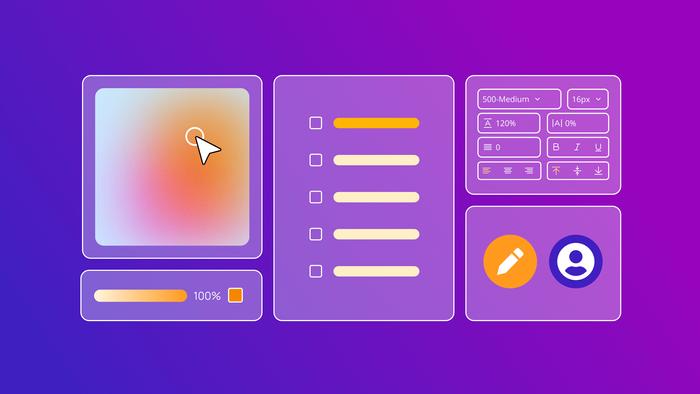
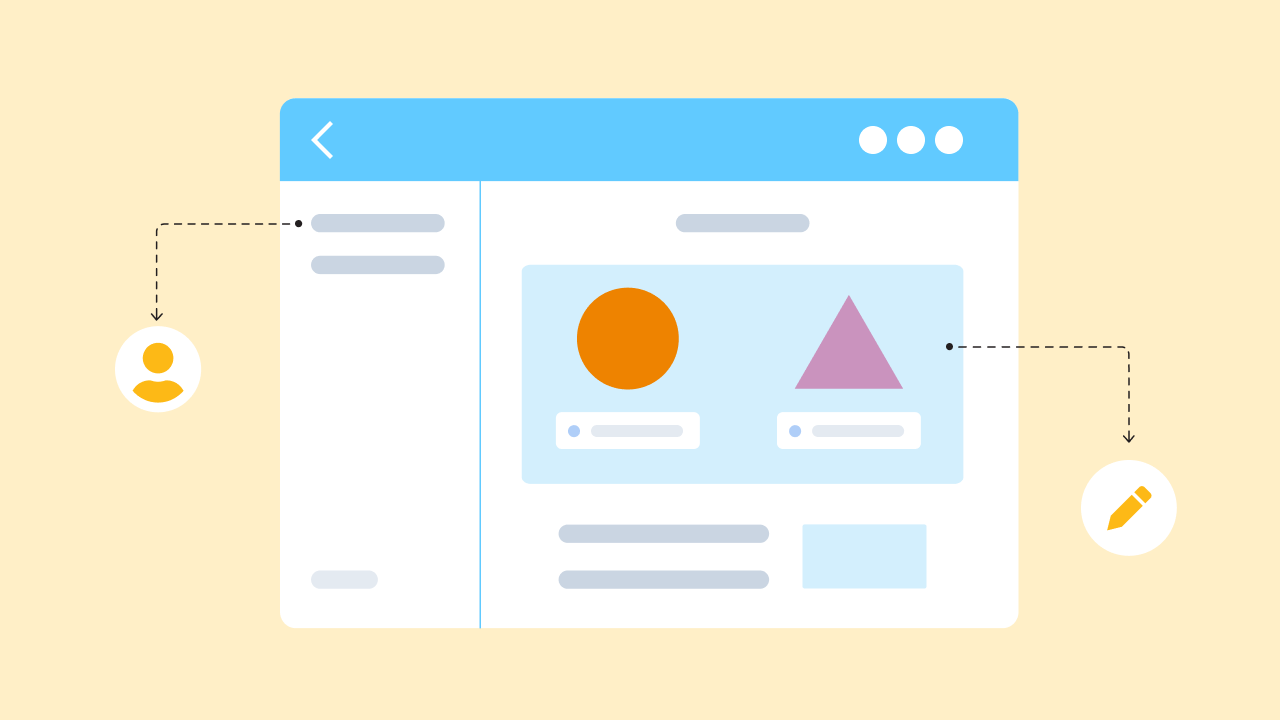
Visual programming is a method of web and software development that uses graphics and images, rather than purely text, to build out computing logic and communicate with computer programs.Instead of writing lines of code, you work with visual elements like drag-and-drop interfaces, flowcharts, or block-based systems to create applications.
Visual programming has existed for decades, but it has evolved a lot during that time.
Early visual programming focused on making computers easier to use. Before graphical user interfaces (GUIs), you had to type commands into terminal windows. GUIs introduced the familiar point-and-click interactions we use today.
Visual tools for designing the frontend of applications became commonplace, but building backend logic and data rules visually remained challenging. Many questioned whether visual programming could handle the sophisticated processes needed for real applications.
That's no longer in doubt. Over the last 10+ years, 6M+ builders have created 7M+ appsusing Bubble's complete visual programming language — proving that visual programming can power everything from simple prototypes to complex, scalable applications without ever generating traditional code underneath. Today, Bubble has evolved into an AI-powered platform that runs this visual programming language, making no-code development faster and more accessible than ever.
Types of visual programming
Not all visual programming is the same. The approach can vary significantly depending on the tool and its purpose. Generally, they fall into a few main categories:
- Flowchart-based programming: This is one of the earliest forms, where logic is represented by connecting shapes and lines in a diagram, much like a business process flowchart. Each shape represents an action or decision, and the lines show the path of execution. This is great for visualizing complex workflows.
- Block-based programming: Popularized by tools like Scratch, this method uses interlocking blocks that represent snippets of code. Users snap blocks together to build scripts and logic. It's an effective way to teach programming concepts without getting bogged down by syntax, helping new builders learn to think programmatically.
- Drag-and-drop (WYSIWYG) programming: This approach lets you build by dragging and dropping UI elements like buttons, text, and images directly on a canvas. What you see is what you get (WYSIWYG). You can attach logic and workflows to visual elements to build fully functional applications. True visual programming languages like Bubble use this approach without generating traditional code underneath — the visual elements themselves are the programming language. AI can now accelerate this process by generating these visual elements instantly from natural language prompts.
Examples of visual programming languages
Today, visual programming tools that let you build front-facing user interfaces are pretty commonplace. Advanced visual frontend web development tools like Wix or Squarespace for creating websites, and design tools like Figma and Sketch for creating models and mockups are great examples. AI coding platforms like Lovable also let you control certain UI design elements visually (and many claim to be "no-code" because you can chat with AI instead of coding), but they still generate traditional code underneath — meaning you're ultimately working with JavaScript, not a visual programming language.
True visual programming languages enable you to build web apps and mobile apps with complex development, logic, and workflowsthrough purely visual interfaces. Examples of include:
- Visual Basic: A programming language developed by Microsoft that includes an IDE with visual design tools. While it provides visual environments for building Windows applications, it is fundamentally a text-based programming language (called Basic) combined with visual development tools, rather than a true visual programming language.
- Scratch: A block-based visual programming tool primarily used for teaching programming concepts. Users link code blocks together to control characters and create animations, games, or stories.
- Hypercard: Apple's 1987 platform that used "cards" linked into "stacks" to create interactive applications—an early example of visual development.
- Bubble: A full-stack visual programming language where instructions are visual — every element, workflow, and data structure you see in the editor is a real command your app runs, not a layer on top of hidden code. Instead of writing syntax a computer has to translate, you build by working directly with the things you actually care about: buttons, data, and user interactions. The visual interface is the programming language itself. Now enhanced with AI capabilities, Bubble can generate complete apps from conversational prompts while maintaining the same visual programming foundation.
History of visual programming languages
Visual programming isn't new — it represents a decades-long progression toward making programming more accessible and human-centered.
The journey started in the 1960s and '70s with early experiments in graphical programming like Pygmalion and GRaIL. These systems began mapping machine actions to visual representations.
The 1980s and '90s brought breakthrough tools like Hypercard (1987) and Visual Basic (early 1990s), which allowed developers to build applications using visual elements and drag-and-drop interfaces rather than pure text coding.
But as mentioned above, Visual Basic isn't true visual programming — it's an Integrated Development Environment (IDE)that combines text-based Basic with visual tools. Visual C and Visual Java are similar visual programming environments for their respective programming languages.
IDEs are an important stepping stone to understanding how programming can be made purely visual. One of Bubble’s founders, Josh Haas, got the idea for Bubble in 2012 from Visual Basic. He describes the early days of Bubble as the result of “if you started with an IDE before building the programming language underneath it.”
Around the same time, frontend no-code development tools were starting to take off. Visual tools like Wordpress and Webflow allowed individuals and entrepreneurs to build their own websites with little technical knowledge using visual, drag-and-drop editors.
But these tools historically focused primarily on user interfaces, though some like Webflow have evolved to include workflow automation and integration capabilities.
Josh had been exploring the realm of “domain-specific” programming languages: the idea that a computer language should be purposefully created and tailored to the tasks its users are using it for. The vision was to create a true visual programming language, not a tool that generates traditional code, but one where the visual interface itself is the programming language, specifically designed for complex web application development.
From here, it’s clear to see how Bubble is simply the next inclusive step in an age-old question of technology: how to make incredibly complex things simpler and easier to use and interact with. Graphical interfaces took interacting with computers from a highly technical task to one anyone could do. Now, visual programming languages are taking building software from a highly technical task to one anyone can do — without generating traditional code underneath. And with AI integrated into visual programming platforms, the barrier to entry has dropped even further, making no-code development truly conversational.
Visual vs. traditional programming
Visual and traditional programming are two different approaches to the same goal: building powerful software.Both can create complex, scalable applications — it's really a matter of how you want to communicate your instructions to the computer.
Traditional programminggives you complete control by coding everything from scratch using text-based languages like Python, JavaScript, or Java. This approach offers maximum customization but requires significant time investment and a steep learning curve that can take months or years to master. Debugging means reading through lines of code to find issues, and development timelines tend to be longer and more expensive.
Visual programmingtakes a different path to the same destination. You communicate through visual interfaces, working directly with the elements and logic you're building rather than translating your ideas into text-based syntax. It's faster to learn — you can start building functional apps in minutes — and visual debugging lets you test and troubleshoot through the same interface users see. The key difference is that true visual programming languages don't generate traditional code underneath; the visual elements themselves are the programming language, giving you direct control without the abstraction layer of text-based code. With AI-enhanced visual programming platforms, you can now generate apps conversationally and then refine them visually, combining the speed of AI with the control of no-code development.
Visual programming vs traditional programming
| Visual programming (e.g., Bubble) | Traditional programming (e.g., Python) | |
|---|---|---|
| How it works | The programming language itself is visual—you communicate with the computer through visual elements that are direct commands, not representations of text-based code underneath. | Programming languages are text-based, requiring a manual editor where the coder types in specific commandsusing syntax. |
| Ease of learning | Visual programming is more clearly understandable to the average user, so it’s much faster to learn and start building. | Development is complex and typically takes months to years to learn, depending on the language and desired proficiency level. |
| Skill needed | No expertise or special skills needed — even non-technical founders can build software themselves. | Significant expertise needs that typically take years of dedicated study. |
| Development timeline | Faster for both building and iteratingsince you work directly with visual elements rather than translating ideas into text-based syntax. | Development and iteration is much slower since even basic capabilities have to be coded from scratch. |
| Flexibility and customization | Visual programming languages offer full customization through visual interfaces, with the option to extend functionality through APIs and plugins for endless flexibility. | Everything is customized and built from scratch to your specifications. |
Benefits of visual programming
Visual programming offers a lot of benefits, especially for non-technical founders and builders.
More accessible
Visual programming offers a more accessible, intuitive way for everyone to bring their ideas to life—not just those who’ve had the privilege of a formal education in traditional engineering or the time to teach themselves to write code.
By creating a programming language that can be easily understood by humans and computers, visual programming reduces the barriers to entry for software development. This opens up a future where anyone can build anything from a spreadsheets tool to manage your nephew’s Little League team to the next major FAANG-level tech company without having to raise major funding rounds or living in a major tech hub.
Faster development
Visual programming is faster than traditional programmingbecause you work directly with the elements you're building rather than translating your ideas into text-based syntax. Visual programming languages support:
- Pre-built components and templates
- Reusable elements
- Direct manipulation of visual interfaces that are themselves the programming commands
With traditional coding, even the most basic elements have to be coded from scratch. With a visual programming language, you don't have to reinvent the wheel each time, allowing you to move a lot faster.
This makes rapid prototyping and iteration possible, supporting quick-to-market minimum viable products (MVPs) or scaling your startup. Iteration is also faster, giving you the advantage of speed, flexibility, and agility to meet users’ needs in a fast-paced world.
Plus, today AI makes visual programming even faster. The Bubble AI Agent can generate complete apps from natural language prompts in minutes — creating pages, workflows, and databases instantly. You can then refine and customize by either chatting with the AI Agent or using the same visual tools, combining AI speed with visual control. This represents true no-code development: building without writing code, whether by hand or through AI generation.
Easier debugging
Visual programming lets you test and debug through the same interface your users will see, without hunting through lines ofcode. You can see exactly how your logic flows and where issues occur because the visual interface is the programming language itself—there's no hidden code layer to decipher.
This direct visibility into your app's logic makes troubleshooting more intuitive and faster than traditional debugging methods. (Plus, now the Bubble AI Agent can also troubleshoot issues, explain how workflows work, and suggest fixes through conversational prompts.)
Human-first
Traditional programming languages are based on how computers work. They’re machine languages that developers have to learn how to “speak” to communicate to the computer and program.
Visual programming languages flip this paradigm. The language is based on what’s easier for humans to understand — visual representations of logic, data, and workflows — and then executed by the computer. A human-first programming language underlies many of visual programming's other benefits.
This human-first approach helps you stay in your user’s shoes the entire time by working with a visual-first interface that mirrors the user’s experience. This often makes it easier to develop intuitive, easy-to-learn, human-first UI and UX.
Effective teaching
Visual programming languages arealso great tools for teaching new builders how to think programmatically.
Visual programming separates "coding" and "programming" as two distinct skills. Coding is just one way to program, just like you can send a message via text or use a handwritten letter. Coding requires you to learn a language computers can speak, while programming is the skill of being able to think logically through the structure of an app and its workflows.
This makes programming more accessible than ever, both for beginners who can learn as they build andfor developers who don’t speak English (since most programming languages are built on English) and can bridge the gaps between envisioning the end product and making it a reality. With AI-powered visual programming, you can even learn by asking questions as you build, making the learning process conversational and contextual.
Bubble's approach to visual programming
Not all development tools are created equal. On one end of the spectrum, you have tools like Scratch, which are primarily for teaching before "graduating" to more complex programming languages. Or you have visualeditors for specific tasks (like building a landing page) with strict boundaries and limited flexibility. Then there are AI coding tools that generate traditional code that you can modify visually to some extent, but you're still ultimately working with code underneath.
On the other end is Bubble: an AI-powered platform running a complete visual programming language that offers full customizability and controlwithout generating traditional code. Here's what makes visual programming languages different:
Visual elements are the programming language
Unlike AI coding tools that generate JavaScript underneath a visual interface, Bubble's visual elements are the programming language itself. Every element, workflow, and data structure you see in the editor is a real command your app runs—not a representation of hidden code.
This means you have direct control over your app's logic through visual interfaces. You're not editing a visual layer on top of code; you're working with the actual programming language, which happens to be visual rather than text-based. When Bubble AI generates an app, it's creating these visual programming elements directly — not generating code that gets translated into visual representations.
What you see is what you get (WYSIWYG)
Visual programming languages take a "what you see is what you get" approach to development. Drag and drop elements — containers, text, images, buttons— and they display exactly as they will in your live app.
This makes it easier to map out your design and bring it to life. You can visualize and design without translating your ideas into text-based codeor reviewing AI-generated code to understand what was built.
Logic built from plainlanguage
Visual programming languages excel at handling logic and workflows through intuitive, visual interfaces.
Bubble's workflow system lets you build logic using plain sentences — for example, "When a user does x, then send an email." The programming language makes smart assumptions based on conversational input, simplifying actions and workflows while supporting advanced techniques when you need them.This is fundamentally different from writing code or reviewing AI-generated code — you're building logic through a visual, human-readable interface. The Bubble AI Agent extends this conversational approach, letting you describe what you want in natural language and generating the visual workflows instantly.
Thepower of traditional programming without thecode
Traditional programming languages like Python or React are flexible but hard to learn and harder to master. AI coding tools make generation faster but still produce traditional code that requires technical knowledge to modify or debug. Visual programming languages offer a third path.
With a visual programming language, you can build anything you could build with traditional programming languages, without learning Python or Reactand without generating traditional code underneath.
Visual programming languages give you visual tools to explain the concepts you want to build — a button, an input, a search bar — with familiar vocabulary. Building an app for restaurants? Create data types for your restaurant, menu, food items, and customers. Want to make a button do something? Create a button element and specify what it does — all through visual interfaces.
"Bubble empowers people to create tech using their vocabulary, not the other way around," Josh explains.
Open-ended possibilities
Using a visual programming language doesn't mean fewer options.Someno-code tools are built for specific use cases, like landing pages, simple websites, or marketplaces with pre-made templates.
Not Bubble. As a comprehensive visual programming language, Bubble is an open-ended, powerful development platform with the ability to connect with thousands of other platforms through our API Connector.
People have used Bubble to solve their startups' problems and build the ideal version of their digital businesses. Some have been acquired by major companies. Others have created careers building templates for Bubbleor teaching others how to use visual programming. Developers with technical backgrounds contribute to the plugin marketplace, and software companies create custom integrations.
In short: If you can dream it, you can build it on Bubble.
Community and collaboration
At Bubble, we believe in the power of community and collaboration to make software better and bring ideas to life.We've invested heavily in our community— making Bubble not just a product or programming language, but a supportive network of developers, dreamers, and doers.
When you build on Bubble, you get access to a highly-engaged network of developers via our forum. Get help troubleshooting, find someone to walk you through a problem, or make suggestions directly to our team. We also host regular in-person events to connect you with other Bubblers and support your learning and growth.
Plus, there are dozens of community-led Bubble groups on Facebook, Slack, Reddit, Discord, WhatsApp, and more.
With a strong community behind you, you don't have to build alone. You can find support in scaling your startup, building your first app, finding (or creating) theright plugin, and more.
Build natively on web and mobile
Bubble was originally designed for building web apps — and that remains a core strength. Now, Bubble also supports native mobile app development for iOS and Androidusing the same visual programming language.
You can generate complete mobile apps using Bubble AI, then customize them with the same visual toolsand logic. These are true native mobile apps powered by React Native — not web apps wrapped in a mobile container. They deliver the performance, gestures, and native functionality users expect from apps built with traditional code.
Native mobile apps built with Bubble's visual programming language can also share the same database, backend APIs, and logic as your web app, meaning you build once and deploy everywhere.Changes to your data structure, workflows, or business logic automatically sync across both platforms, eliminating the need to maintain separate codebases or duplicate development work.
You use the same intuitive visual programming interface for mobile as you do for web apps. You can define gestures, native components, device functionality, layers, and more— all in the familiar Bubble canvas. Preview your app on your phone while you build using BubbleGo, and publish directly to the Android and iOS App Stores from the Bubble editor.
Learn visual programming with Bubble
Visual programming isn’t just an easier, faster solution: It’s a full-stack programming language that can be used to build absolutely anything. Web apps, mobile apps, simple forms, complex marketplaces, CRMs, or SaaS tools — the sky’s the limit.
If you’re a founder or have a big idea for an app, why not try building it yourself on Bubble? Start by generating an app with Bubble AI, then let the AI Agent teach you how to customize and extend it with step-by-step guidance.
Wealso have plenty of resources — from our detailed manual to how-to-build guides and video tutorials — but the fastest way to learn is by building with AI assistanceand asking questions as you go.
Frequently asked questions about visual programming
Can visual programming handle complex business logic and databases?
Yes.Visual programming languages like Bubble can handle the same complexity as traditional programming languages, with powerful visual tools for building databases, workflows, and business logic without generating traditional code underneath.
Is visual programming suitable for enterprise applications?
Absolutely. Enterprise-grade platforms like Bubble offer SOC 2 Type II compliance, SSO integration, version control, and dedicated hosting to meet strict corporate security and scalability requirements.
How long does it take to learn visual programming compared to traditional coding?
You can start building functional apps with visual programming in minutes rather than the months or years required to become proficient in traditional coding languages like Python or JavaScript. Bubble AI makes learning even faster by teaching you as it builds, generating complete apps from your prompts and explaining how everything works, so you're learning and building simultaneously.While mastering a visual programming language's full capabilities takes time, you can launch real apps much faster because you're working with intuitive visual interfaces rather than learning text-based syntax.
Can visual programming apps scale to handle millions of users?
Yes. The ability to scale depends on the platform's underlying infrastructure. Visual programming platforms like Bubble are built on enterprise-grade cloud infrastructure (like AWS) that automatically scales to handle traffic spikes, so you can grow from your first user to millions without needing to manage servers or DevOps.
What's the difference between visual programming and AI coding tools?
AI coding tools generate traditional code (like JavaScript or Python) that you can modify to some extent, but you're ultimately working with text-based code underneath. Many claim to be "no-code" because you can chat with AI instead of coding, but they're still generating code. Visual programming languages don't generate traditional code — the visual interface itself is the programming language, giving you direct control through visual elements rather than working with an abstraction layer on top of code. AI-powered visual programming platforms like Bubble combine both approaches: AI can generate apps instantly, but it's creating visual programming elements, not traditional code.
Build for as long as you want on the Free plan. Only upgrade when you're ready to launch.
Join Bubble