
TL;DR: The best mobile website builder depends on your goal. Wix, Squarespace, and WordPress cover most business sites, portfolios, and blogs, Shopify covers online stores, Webflow and Framer suit design-led sites, Hostinger and SITE123 suit tight budgets, Duda suits agencies, and Bubble suits projects that need custom features for members or native apps. Because Google ranks the mobile version of your site, compare how much each builder lets you adjust phone layouts and what it costs once renewals and fees apply.
If your site looks broken on a phone, most visitors won’t wait around to see if the desktop version is better. A poor mobile experience also affects search. Google uses mobile-first indexing, so it ranks your pages based on the mobile version of your site.
Most website builders call themselves mobile-ready, but that label covers a wide range of results. Some produce layouts that reflow cleanly at any screen size. Others look fine in preview but break once you customize beyond the template defaults.
This guide matches 10 builders to the goal each one fits best. For each, you’ll see how it handles phone layouts, what it costs once renewals and fees apply, and where it falls short, so you can pick the right platform before you build.
The best mobile website builders at a glance
The best mobile website builder depends on what you’re building. For a business site, portfolio, or blog, Wix, Squarespace, and WordPress are the usual starting points, and Shopify is built for online stores. Webflow and Framer suit designers who want to fine-tune phone layouts and animation. Hostinger and SITE123 suit tight budgets, Duda suits agencies, and Bubble suits projects that need custom features for members or native iOS and Android apps.
Starting prices in the table are each provider’s advertised annual rate where available. Some are standard annual-plan rates, while others are introductory or require multi-year upfront payment, so confirm the checkout total and renewal terms before you buy.
| Tool | Best for | Mobile editing approach | Free plan | Starting price (billed annually) |
|---|---|---|---|---|
| Wix | Design freedom and mobile customization | Separate mobile editor | Yes (with branding) | $17/month |
| Squarespace | Polished aesthetics and portfolios | Structured responsive with mobile layout editing (Fluid Engine) | No (14-day trial) | $19/month |
| WordPress | Content-heavy sites and full ownership | Theme-dependent responsive | Yes | $4/month; varies by host |
| Shopify | Mobile e-commerce | Structured responsive | No (3-day trial) | $29/month |
| Webflow | Design precision and custom interactions | Custom breakpoints | Yes (Starter plan) | $15/month |
| Framer | Animated, design-led marketing sites | Custom breakpoints | Yes (with branding) | $10/month |
| Hostinger | AI-assisted builds on a budget | Structured responsive | No (14-day trial) | Intro rates; renew higher |
| Duda | Agencies building for clients | Responsive site management | No (14-day trial) | $19/month |
| SITE123 | Getting live quickly | Fixed responsive sections | Yes (with branding) | $10.80/month (paid up front) |
| Bubble | Web and native mobile apps from one platform | Responsive web layouts plus native mobile views, in one editor | Yes | $32/month (Web); $59/month (Web & Mobile) |
The table gives you the short version. The criteria below explain what separates a builder that works well on phones from one that only claims to.
What makes a mobile website builder worth using
A good mobile website builder makes your site look right on a phone by default and lets you fine-tune it when the defaults fall short. Builders handle this in one of two ways. With responsive design, the layout automatically reflows to fit any screen size, so there’s no separate phone version to maintain. With a dedicated mobile editor, you get a separate view for phones, where you can hide a large image or resize buttons without touching the desktop layout.
Simpler designs usually reflow cleanly on their own, while complex columns or large hero images often benefit from a mobile editor.
When you compare builders, look for these five things:
- Layout responsiveness: Templates should reflow cleanly when the screen shrinks, keeping content readable and buttons tappable without horizontal scrolling.
- Phone-view editing without code: When something looks off on a phone, you should be able to fix it visually, like moving a button or shrinking a heading.
- Page load speed: Some builders produce leaner code than others by default, which affects how fast your pages load on a phone. Visitors on slower connections often leave before a slow page finishes loading.
- Touch-friendly navigation: Look for templates with buttons large enough to tap with a thumb, menus that work without a mouse, and forms that bring up the right mobile keyboard.
- SEO controls: You should be able to set page titles, meta descriptions, and clean URLs. Google ranks the mobile version of your site, so these settings need to apply to your phone pages too.
Pricing is worth checking too, because it often looks lower than it is. To get an accurate total, price every tool you’ll need on top of the base plan, and watch for these costs:
- Intro rates: Advertised prices are often promotional and renew higher after the first term. Check the renewal rate before you commit.
- Domains: Many platforms include a free domain for year one only. After that, you pay to renew it.
- Transaction fees: On e-commerce plans, fees often apply when you use a third-party payment processor instead of the platform’s own gateway.
- Add-ons and third-party apps: On platforms like Shopify and Wix, apps for features like shipping, reviews, or bookings can add significantly to your monthly cost.
How we picked these mobile website builders
We evaluated each platform against four criteria:
- Phone layouts: How current templates handle small screens, including whether content reflows cleanly without horizontal scrolling.
- Mobile-specific fixes: How easy it is to adjust the phone layout, like hiding an image or resizing a menu, without touching the desktop design.
- Full cost: What each plan costs once intro rates renew and transaction fees or add-ons apply.
- Room to grow: Whether someone who doesn’t write code can get to a live, working result and keep building as their needs grow, without switching tools.
The 10 best mobile website builders in 2026
The list starts with the builders that cover most websites and moves toward more specialized picks. Each entry ends with alternatives to compare if it isn’t quite the right fit.
1. Wix: Best for design freedom and mobile customization
Wix is a strong fit when you want design flexibility and the ability to fine-tune how your site looks on a phone. It pairs a drag-anywhere desktop editor with a separate mobile editor where you can hide, reposition, or resize elements for phones without touching the desktop layout. That helps when your desktop design has complex columns or large hero images that don’t translate cleanly to a small screen.
Wix’s template library covers categories from restaurants to portfolios to local services, and Wix creates the phone view of your site automatically. In the newer Wix Harmony editor, that phone view adapts to every screen size, while the classic Wix Editor uses a fixed mobile layout, so it’s worth checking the mobile version after design changes. The Wix app lets you make basic edits from your phone, though building a site from scratch works better on a desktop.
Best for:
- Builders who want separate desktop and phone layouts: You can adjust each view by hand without writing code, which helps when a busy desktop design needs a simpler phone version.
- Local businesses, restaurants, and service providers: Industry templates give you a polished starting point for menus, service pages, and contact details that you can publish quickly.
- Creators who want room to customize: The large template library gives you a head start, and the open canvas lets you move well past the template’s defaults.
Limitations: The open-canvas editor can produce slower pages if media isn’t optimized. The free plan shows Wix branding and doesn’t support a custom domain.
Pricing: Free plan available with Wix branding, and paid plans start at around $17/month billed annually. E-commerce plans start higher, and paid plans include a free domain for the first year. Check Wix’s pricing page for current rates.
Compare to: Squarespace for a more structured, design-opinionated experience or Webflow for code-level precision.
2. Squarespace: Best for polished aesthetics and portfolios
Squarespace uses structured templates and sections designed to keep layouts consistent across screen sizes. Its templates are responsive by default. To adjust the phone layout, its grid-based Fluid Engine editor lets you move, resize, or hide blocks without changing the desktop layout.
You can also place blocks anywhere on the grid and even overlap them. Collection pages, blog posts, products, and site headers stay more constrained, and you can’t add new blocks in mobile view.
Squarespace includes built-in e-commerce, blogging, and scheduling (via Acuity), which lets small service businesses handle most of what they need from one platform.
Best for:
- Photographers, designers, and creative professionals: Portfolio templates reflow to phones on their own, and your work looks right on a small screen without manual tweaking.
- Small service businesses: Built-in scheduling through Acuity lets clients book from their phones on the same site that describes your services.
- Builders who put visual quality ahead of flexibility: Structured sections limit how far you can stray from the design, which keeps layouts consistent at every screen size.
Limitations: Mobile editing is less freeform than Wix’s, since some areas sit outside Fluid Engine. For advanced commerce needs such as large-scale inventory, point of sale (POS), B2B catalogs, or deeper checkout customization, compare Squarespace’s commerce tiers against Shopify’s dedicated commerce plans.
Pricing: Plans start around $19/month billed annually. Basic has a 2% online store transaction fee, while Core, Plus, and Advanced have 0% online store transaction fees, excluding card processing fees. A domain is included free for the first year on annual plans. Check Squarespace’s pricing page for current rates.
Compare to: Wix for more layout freedom or Shopify if e-commerce is the primary goal.
3. WordPress: Best for content-heavy sites and full ownership
WordPress comes in two versions, and this entry covers both. WordPress.com is hosted for you, while WordPress.org is the open-source software you install on a host you choose. Both rely on themes for mobile responsiveness, so a modern, mobile-optimized theme is what makes your site adapt to phone screens.
WordPress is a long-standing choice for blogs, publishers, and content-heavy sites. With self-hosted WordPress.org, you own your files and hosting, and you can extend the site with tens of thousands of plugins from the WordPress.org directory. That flexibility comes with upkeep: You’re responsible for keeping plugins updated and checking that they don’t break your mobile layout or slow your pages down.
Best for:
- Bloggers, publishers, and content-heavy businesses: Categories, tags, and archives are built in, which helps when your site grows to hundreds or thousands of posts.
- Builders who want ownership of hosting and data: With WordPress.org, you choose your host and can move the site elsewhere if your needs change.
- People comfortable managing plugins and updates: You’ll get the most out of WordPress if you’re willing to vet plugins and test your phone layout after each theme update.
Limitations: Mobile responsiveness depends on the theme you choose. Managing plugins, updates, and hosting can become a maintenance burden, especially on self-hosted sites.
Pricing: WordPress.org software is free to use, but you pay for your own hosting and any premium themes or plugins. WordPress.com offers a free plan, with paid plans starting at $4/month billed annually or $9/month billed monthly. Check WordPress.com’s pricing page for current rates.
Compare to: Squarespace for a more managed, hands-off experience or Webflow for visual design precision.
4. Shopify: Best for mobile e-commerce
Shopify is a dedicated commerce platform with a checkout flow built for phone purchases. It offers large tap targets, saved payment methods, and a direct path from product page to purchase. That matters most if many of your customers shop from their phones.
Shopify’s themes are all responsive, and the Shopify admin app lets you manage orders, inventory, and products from your phone. The app ecosystem is large, covering shipping, loyalty programs, upsells, and other commerce functions. Most additional features come from third-party apps rather than being built in.
Because Shopify centers on selling, its content tools are more limited than dedicated site builders if you need long-form articles, detailed service pages, or a portfolio alongside your store. Monthly app costs can add up quickly, so factor them in alongside the base plan price.
Best for:
- Store owners who expect mobile to be a primary sales channel: The checkout is designed for phone purchases, with saved payment methods and large tap targets.
- Businesses that need payments, inventory, and shipping in one place: Orders and stock levels live in the same admin, and you can check both from the mobile app.
- Sellers planning to grow: Higher tiers and the app ecosystem let your store add features without moving to another platform.
Limitations: Content and blog pages are commerce-first, and app costs can significantly increase monthly spend. Shopify isn’t ideal if e-commerce is a secondary feature rather than the core purpose of your site.
Pricing: Plans start around $29/month billed annually. There are no transaction fees when you use Shopify Payments, and third-party payment gateways add a fee that decreases on higher tiers. Check Shopify’s pricing page for current rates.
Compare to: Squarespace for simpler stores with fewer products or BigCommerce for enterprise-level alternatives.
5. Webflow: Best for design precision and custom interactions
Webflow lets you fine-tune responsive breakpoints, which are the screen widths where a layout changes. You can define how your site looks at desktop, tablet, and phone widths, and add animations and interactions that behave well on mobile. Webflow generates clean HTML and CSS under the hood, so pages tend to load quickly on phones, though performance still depends on how you put the build together.
Webflow’s interface is closer to a design tool than a typical website builder, and it has a steeper learning curve. Builders who have used Figma or have a design background tend to feel at home quickly. Others may need more time with concepts like flexbox, grid layouts, and breakpoint-specific styling.
Webflow also includes a content management system (CMS) for structured content like blog posts or product listings. You can build custom templates for different content types and manage everything through a visual interface.
Best for:
- Designers and frontend developers: You set styles at each breakpoint visually and decide exactly how a layout shifts from desktop to phone.
- Agencies building client sites with custom interactions: Animations can be tuned per breakpoint, which helps when a client wants a distinct look on mobile.
- Teams that want to shape responsive behavior visually: Webflow writes the HTML and CSS as you design, and no one on the team has to hand-code it.
Limitations: The steeper learning curve makes Webflow a weaker fit if you want a fast, guided setup. E-commerce runs on separate plans with their own product and transaction-fee limits, so if selling is central, compare them with Shopify’s plans on catalog size and checkout.
Pricing: Webflow starts with a free Starter plan, and paid site plans start at $15/month billed annually. The CMS-enabled Premium plan starts at $25/month billed annually. E-commerce plans start at $29/month billed annually, and the Plus and Advanced tiers have 0% Webflow transaction fees, excluding payment processor fees. Check Webflow’s pricing page for current rates.
Compare to: Framer for animation-focused builds or Squarespace for faster setup with fewer design options.
6. Framer: Best for animated, design-led marketing sites
Framer works much like a design tool, so it feels familiar to anyone coming from Figma. It’s well suited to interactive, animated marketing sites with a distinct look. You design the desktop view, then adapt it visually for tablet and phone breakpoints.
Framer hosts your site for you and includes a built-in CMS for blogs and simple content collections. It isn’t designed for complex web apps, user portals, or large stores, so it fits best when the site’s job is to look sharp and explain a product.
Best for:
- Designers who want to publish from a design canvas: If you already work in Figma, the layout tools will feel familiar, and you can publish without handing off to a developer.
- Startups and agencies building animated marketing sites: Scroll effects and interactions are built into the editor, which suits launch pages and product sites.
- Teams that care most about visual impact: Framer fits sites where the look and motion matter more than complex content structures.
Limitations: Not suited for complex web apps, user portals, or heavy e-commerce. The free plan includes a Framer banner. Animations still need testing on real phones, since heavy motion can affect performance on older devices.
Pricing: Free plan available with a Framer banner, and paid site plans start at $10/month billed annually for Basic and $30/month for Pro. Check Framer’s pricing page for current rates.
Compare to: Webflow for more complex CMS needs or Wix for a drag-and-drop experience with a separate mobile editor.
7. Hostinger: Best for AI-assisted builds on a budget
Hostinger’s website builder includes an AI generator that creates a starting layout from a text prompt. Based on a description of your business, it drafts copy, adds images, and sets up the page sections. You can then edit the content, swap images, and adjust layouts through a drag-and-drop interface.
Hostinger’s templates are responsive by default, and mobile editing is available. The builder is lighter on advanced features than Wix or Squarespace, so it fits straightforward marketing sites and small catalogs better than complex projects.
Best for:
- Builders on a tight budget: The low intro pricing fits a mobile-ready marketing site, as long as you plan for the renewal rate.
- First-time site builders who want help with the first draft: The AI generator gives you a starting layout to edit, which is less daunting than a blank page.
- Small businesses and side projects with modest needs: It fits sites that don’t need advanced e-commerce or custom interactions, like a service page with contact details.
Limitations: Fewer advanced features than Wix or Squarespace. Lower-priced plans have defined storage and website limits. Intro pricing renews significantly higher.
Pricing: There’s no free plan, but Hostinger offers a 14-day free trial and a 30-day money-back guarantee. Advertised rates are intro prices that may require a multi-year upfront term and renew higher, so confirm the term length and renewal rate at checkout. Eligible plans, including Premium, Unlimited, and Cloud Startup on qualifying terms, include a free custom domain for one year. Check Hostinger’s pricing page for current rates.
Compare to: SITE123 for a similarly fast launch experience or Wix if you need more features and can spend a bit more.
8. Duda: Best for agencies building mobile sites for clients
Duda is aimed at agencies and freelancers who build and manage sites for clients. On higher-tier plans, it includes white-label options that let you present the platform under your own brand. Clients get editing permissions to update content without accessing the full editor, and the dashboard is built around managing multiple sites at once. The templates are professionally designed and responsive.
Duda’s entry Basic plan is in the same range as some consumer builders, but its Team, Agency, and White Label tiers are priced for professionals managing client sites. Those tiers add the agency features, like white-label branding and team collaboration, so the cost makes more sense across several client projects than for a single personal site.
Best for:
- Agencies and freelancers maintaining client sites: The dashboard puts many sites in one place, which makes it simpler to keep each one mobile-friendly as clients request changes.
- Teams that need white-label options: On higher-tier plans, you can present the platform under your own brand and give clients limited editing permissions.
- Professionals juggling multiple client projects: Team features let several people work across client sites without overwriting each other’s changes.
Limitations: Team, Agency, and White Label tiers cost more than consumer-facing builders. Not cost-effective for single-site personal use.
Pricing: Duda Basic starts at $19/month billed annually ($25/month billed monthly), with Team, Agency, and White Label tiers for collaboration, agencies, and white-label delivery. Check Duda’s pricing page for current rates.
Compare to: Webflow for more design precision in an agency context or Squarespace if you only need one site.
9. SITE123: Best for getting a mobile site live quickly
SITE123 uses pre-built section layouts that are responsive by default. You pick a section type, fill in your content, and the layout handles the rest. The structure is fixed, so there’s little room to reposition elements or adjust layouts beyond what the sections allow.
SITE123 fits simple sites like a one-page local business site, a basic portfolio, or a quick landing page, where speed to launch matters more than design flexibility. If you want to move elements around, add custom interactions, or build something that looks distinct, the constraints will likely feel limiting.
Best for:
- Builders who need a simple site live quickly: You pick sections and fill in content, and the responsive layout is handled for you.
- Local businesses, freelancers, and side projects: A one-page site with hours, services, and contact details fits the fixed structure well.
- First-time site builders who want guardrails: The limited layout options make it hard to accidentally break the phone view.
Limitations: Very limited design flexibility. Custom domains require a paid plan, and while basic store and order features work on lower plans, online payment gateways and fuller e-commerce features need an upgrade. SITE123 isn’t suitable for complex sites or businesses that expect to grow into more advanced features.
Pricing: Free plan available with SITE123 branding. Custom-domain plans start from about $10.80/month on an annual plan paid up front, depending on region and package, so confirm the checkout price and term. Check SITE123’s pricing page for current rates.
Compare to: Hostinger if you want AI assistance at a similar price point.
10. Bubble: Best for web and native mobile apps from one platform
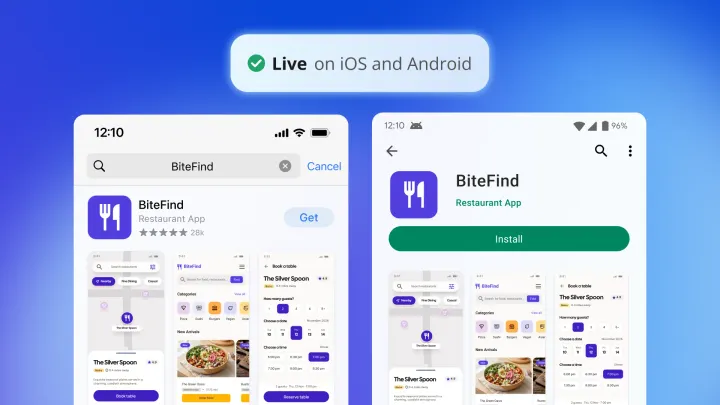
Bubble is a fully visual app builder where anyone can build software, understand every part of it, and control every detail without code. It’s a fit when you want to decide exactly what members can see and do, like showing each client only their own orders or letting only paying members post. With Bubble for native mobile apps, you can build native iOS and Android apps in the same editor as your web app, sharing one backend instead of maintaining two separate codebases.
When you describe your idea, the Bubble AI Agent starts with a planning session, asking clarifying questions before it generates the design, database, workflows, and privacy rules.
Unlike AI coding tools, Bubble makes the logic and data visual too, and you can change any part yourself or ask the Agent to. With native mobile app generation (beta), the Agent builds iOS and Android apps from a prompt.
Best for:
- Founders and teams who need web and native apps: Web, iOS, and Android come from one editor and one backend.
- Projects that need custom features for members: You set up the logic and data behind them yourself, visually or with the Agent.
- Teams that want to launch on the web first: You can start with a mobile-responsive web app and add native mobile later on the same backend.
Limitations: Bubble has more depth than a website builder, so there’s more to learn. If you only need a simple marketing site or portfolio, Wix or Squarespace may be enough.
Pricing: Getting started is free. Paid plans billed annually start at $32/month for Web ($39/month billed monthly), $42/month for Mobile, and $59/month for Web & Mobile. Every plan includes a monthly AI credit allowance, and visual editing doesn’t use AI credits.
Mobile and Web & Mobile plans add publishing to the App Store and Google Play Store, plus over-the-air (OTA) updates for small fixes. Apple and Google still review each new build before it goes live.
Compare to: Wix or Squarespace for pure marketing sites, Shopify for e-commerce without app needs, or Webflow for custom frontends that don’t require a native mobile app.
Which mobile website builder is right for you
- You want design freedom on both desktop and phone: Wix includes a separate mobile editor for adjusting phone layouts independently from your desktop design.
- You need a polished, professional-looking site with minimal setup: Squarespace’s structured templates reflow to mobile automatically, and Fluid Engine lets you fine-tune many sections for phones.
- You want full ownership and strong content management: WordPress lets you choose your own hosting and plugins, which suits blogs and content-heavy sites.
- Selling on mobile is your primary goal: Shopify’s checkout is built for phone purchases, and its inventory and payment tools are focused on commerce.
- You want to decide exactly how your layout changes on tablets and phones: Webflow lets you define how your layout behaves at each screen width through its visual interface.
- You want an animated, design-led marketing site: Framer works like a design tool, with interactions and scroll effects built into the editor.
- Your budget is tight and you want AI help with the first draft: Hostinger includes an AI generator and has one of the lowest starting prices on this list, though the renewal rate is higher than the intro price.
- You’re building sites for clients and need white-label tools: Duda includes client permissions and white-label options on higher-tier plans, aimed at agencies managing multiple sites.
- You run a local business and need a simple site live quickly: SITE123’s fixed section layouts are responsive by default, though they offer limited customization.
- Your project needs custom features for members or native iOS and Android apps: Bubble lets you build a mobile-responsive web app and publish native mobile apps from one platform without maintaining two separate stacks.
Pick the builder that fits where your site is headed
The biggest choice is whether you need a mobile website or an app. If it’s a website, pick the builder above that matches your goal. If it’s an app, or might become one, Bubble is the better fit.
Switching platforms after launch takes time, so it’s worth thinking about where your site might go before you build. On Bubble, your web app and native mobile apps share one backend, so adding mobile later doesn’t mean starting over. That’s how SuiteOp replaced a wrapped mobile app that crashed with a native app, built in two months instead of an estimated 6–8. “Being able to use the same backend workflows, the same database — those things were really big time savers,” says Jean-Emmanuel Losi, co-founder of SuiteOp.
If you’re still deciding, start with the free plan of whichever builder fits closest. If that’s Bubble, start building for free and see how much of your app you can shape yourself.
Frequently asked questions
Is Wix the best mobile website builder?
It depends on your goal: Wix is a strong choice if you want design freedom and a dedicated mobile editor to fine-tune your phone layout. Squarespace fits better if you prefer structured templates that handle responsiveness automatically, and WordPress is the long-standing standard for content-heavy sites that need full ownership and a large plugin ecosystem.
How do I make my website work well on phones?
Start with a responsive template and a simple layout, since complex multi-column designs are the most likely to break on small screens. Before you publish, check the phone view in your builder’s editor and test the site on an actual phone to confirm that buttons are large enough to tap and text is readable.
Can ChatGPT build a mobile website for me?
ChatGPT can draft copy and generate code, but you still need a website builder or host to publish your site, and some builders, like Hostinger, include AI that generates a starting layout. To build a full web app, you can connect ChatGPT to Bubble through the Bubble MCP (beta), which builds and edits your Bubble app while you review the work and deploy from Bubble yourself.
Can I build and manage my site from my phone?
You can handle basic content updates from your phone on most platforms, and Wix, Squarespace, and Shopify all offer mobile management apps. Building a site from scratch and full layout work, like adjusting columns or setting breakpoints, is faster and more reliable on a desktop.
What’s the difference between a mobile website and a native mobile app?
A mobile website loads in a phone’s browser, while a native mobile app is installed from the App Store or Google Play Store and can use device features like the camera and push notifications. Most builders on this list focus on mobile websites, while Bubble for native mobile apps builds native iOS and Android apps in the same editor as your web app, so adding them later doesn’t mean rebuilding.
Build your app on Bubble's Free plan. No need to upgrade until you're ready to launch your app.
Join building