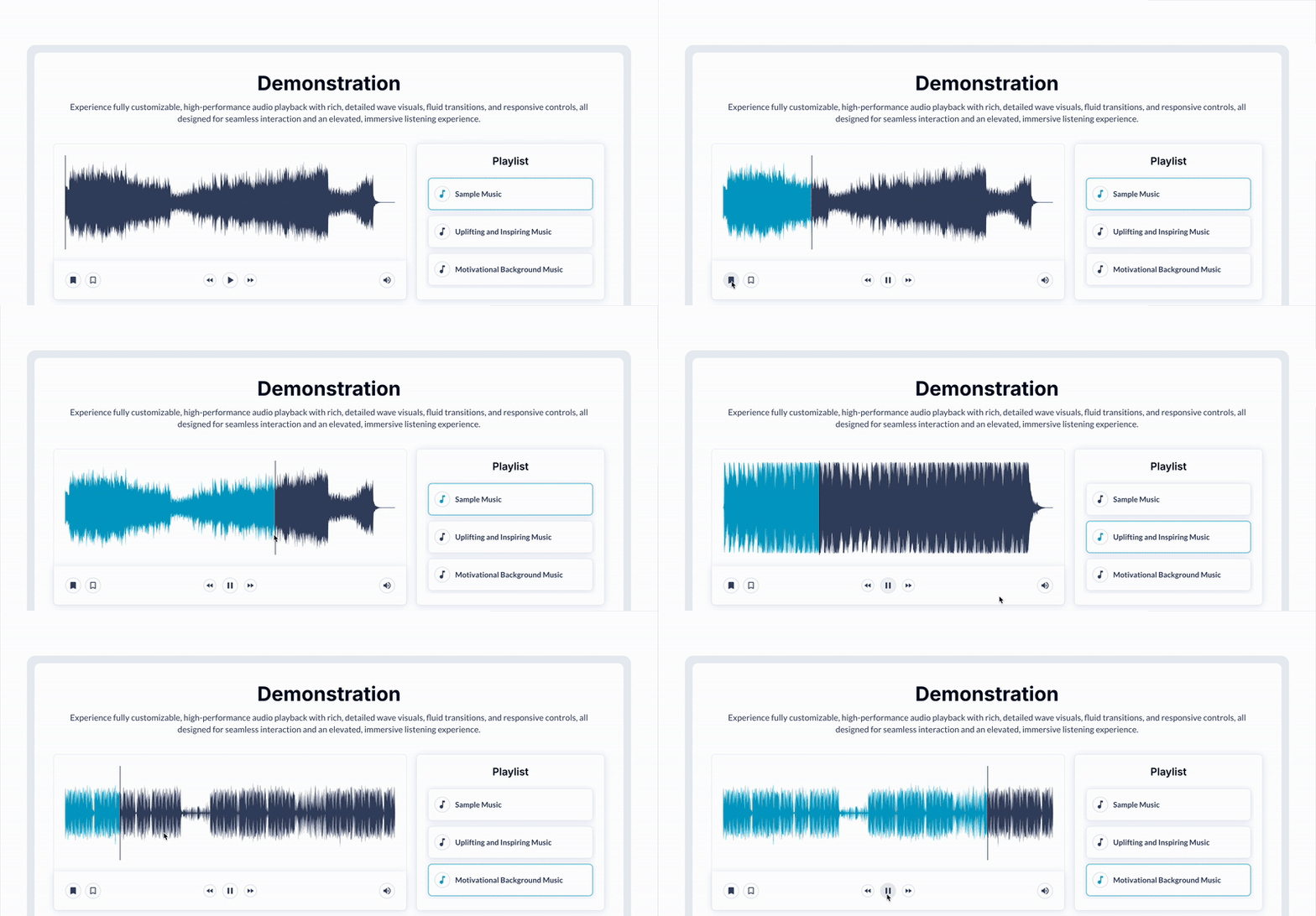
Create a SoundCloud-style audio player with custom waveforms, playlists, speed and volume control, preload, markers, skip buttons, playback events, multi-instance support, and waveform export.



 ⚡ Main Functions:
•
Custom Waveform Design. Customizable audio player with wave shape similar to SoundCloud.
•
Playback Controls. Mute/unmute, play, pause, and stop functions.
•
Playlist Functionality. Playlist support with auto-play for seamless playback.
•
Audio Speed & Volume. Volume control and customizable audio speed (x0.5, x1, x2, etc.).
•
Waveform Data Display. Retrieve and display the waveform loading percentage.
•
Multi-Instance Playback. Multi-instance support on the same page with optional auto-stop for other players.
•
Preload Feature. Pre-load waveforms for instant display on page load.
⚡ Key Features:🎨 Waveform Export Export waveform as an image (PNG or JPG).
🎯 Audio Markers Add markers to highlight segments in the audio.
⏩ Skip Controls Skip forward/backward by a defined number of seconds.
📊 Playback Tracking Fire events after a specific time for tracking playback status.
🎵 Navigation Controls Native next/previous track and play/pause controls.
📈 Custom States Access states like is playing, current time, and duration.
 Documentation
We’ve created a detailed step-by-step guide for the Waveform Audio Player plugin. It includes a comprehensive overview of all features, practical use cases, and answers to frequently asked questions.
FAQ-
Does this player support multiple instances on one page?Yes, you can have multiple instances of the player on the same page, and even set an option to stop other players when a new one starts.
-
Can I use this player to create a playlist?Yes, you can create a playlist that will play continuously like on SoundCloud or Spotify.
-
Is it possible to skip forward or backward in the audio file?Yes, the plugin supports dynamic skipping, allowing you to jump forward or backward by a specified number of seconds.
-
Does the player offer events to track playback?Yes, you can set events that trigger after a specific duration to mark the audio as
played or to track other playback behaviors.
-
Is the player compatible with mobile devices?Yes, the Waveform Audio Player is mobile-friendly and works seamlessly on both desktop and mobile devices.
 Our Similar Plugins
-
Advanced Audio Player Plugin for Bubble -
HTML5 Audio Player Plugin for Bubble-
Spotify Complete #music Plugin for Bubble Support
If you still have questions or unresolved issues, you can
contact us.
Risk-free TrialThe most risk-free way to try out this plugin is to subscribe to it. If you unsubscribe a few days later you will be charged on pro-rata basis, so for example if the plugin monthly price is $5 then you’d pay only 17¢ per day ($5/30 days)!
 Built on Bubble
