The "Sankey Chart" plugin enables you to add an elegant and interactive Sankey chart to your Bubble application. Ideal for visualizing flows, relationships, and distributions, this plugin offers robust customization options, ensuring a seamless and visually appealing integration for any data visualization needs.
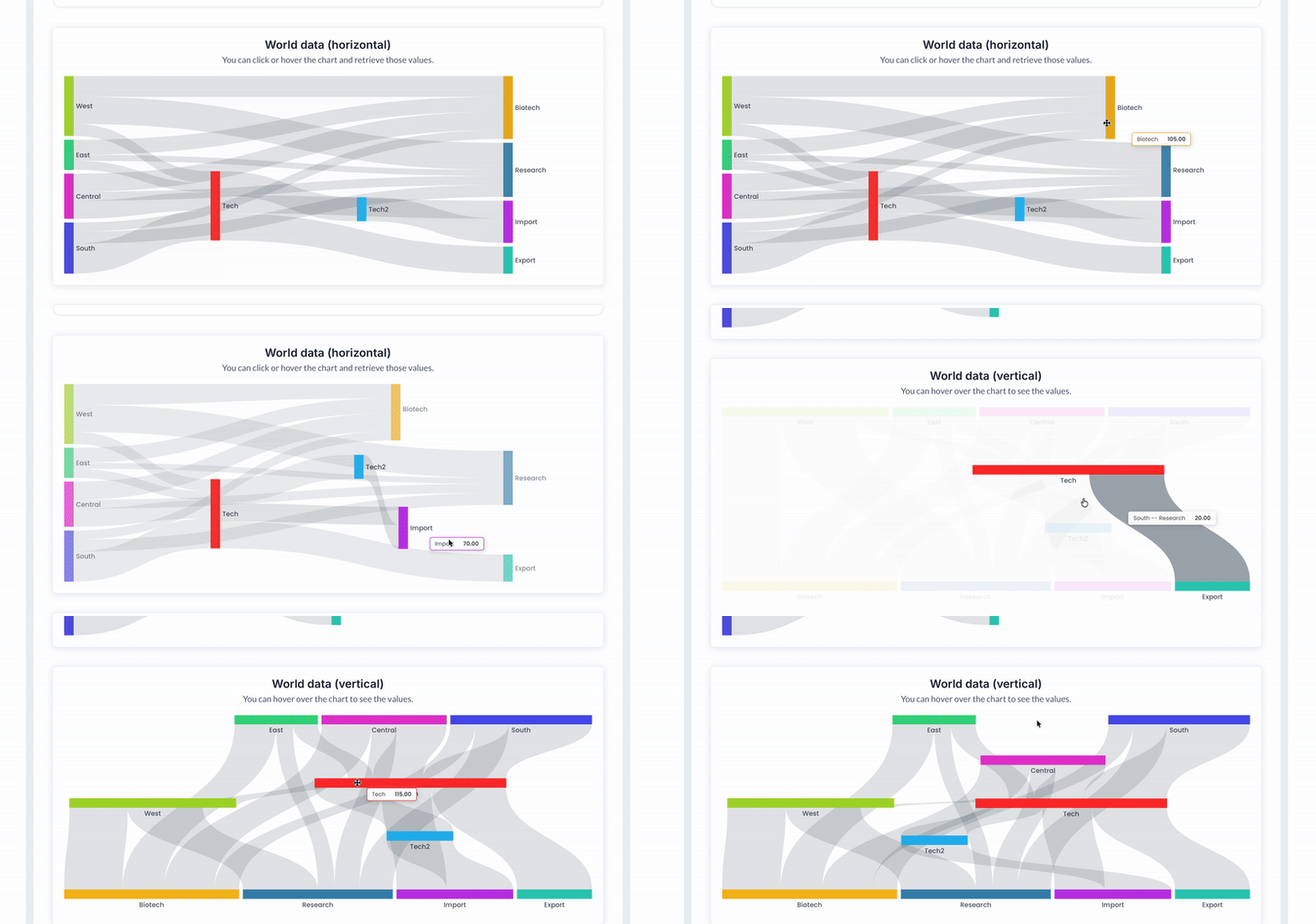 Usage Features:
 - Fully mobile-responsive design for dynamic displays.
- Supports data grouping by "Name" and "Target" with automatic calculations.
- Customizable chart colors with the ability to define up to 9 static colors or dynamic color lists.
- Interactive tooltips with configurable text, font size, color, and padding.
- Adjustable grid settings (padding for left, right, top, and bottom).
- Draggable elements with hover animations for enhanced interactivity.
- Flexible label customization, including position, font size, weight, and color.
- Chart orientation options: horizontal or vertical.
- Value prefix and suffix support for added clarity in data representation.
- Built-in animations for smooth transitions.


 FAQ
FAQ-
Can the Sankey chart adapt to different screen sizes?Yes, the chart is fully responsive and adjusts to various device screen sizes.
-
Is it possible to customize the colors of the flows and nodes?Absolutely! You can define up to 9 static colors or use dynamic color lists for your flows and nodes.
-
Can I display tooltips on hover?Yes, tooltips are supported with extensive customization options for font size, color, background color, and padding.
-
Does the plugin allow interactive dragging of chart elements?Yes, the plugin supports draggable elements for enhanced interactivity.
-
Can I adjust the orientation of the Sankey chart?Yes, you can set the orientation to either horizontal or vertical.
 Other plugins from Zeroqode
-
Apex Chart - 54 Charts & Graphs Plugin for Bubble-
Bubble Page to PDF converter Plugin for Bubble -
Repeating Group to CSV / XLSX Plugin for Bubble -
MapBox Maps Plugin for Bubble  Support
If you still have questions or an unresolved issues, you can
contact us.
Risk-free TrialThe most risk-free way to try out this plugin is to subscribe to it. If you unsubscribe a few days later you will be charged on pro-rata basis, so for example if the plugin monthly price is $5 then you’d pay only 17¢ per day ($5/30 days)!
 Built on Bubble
