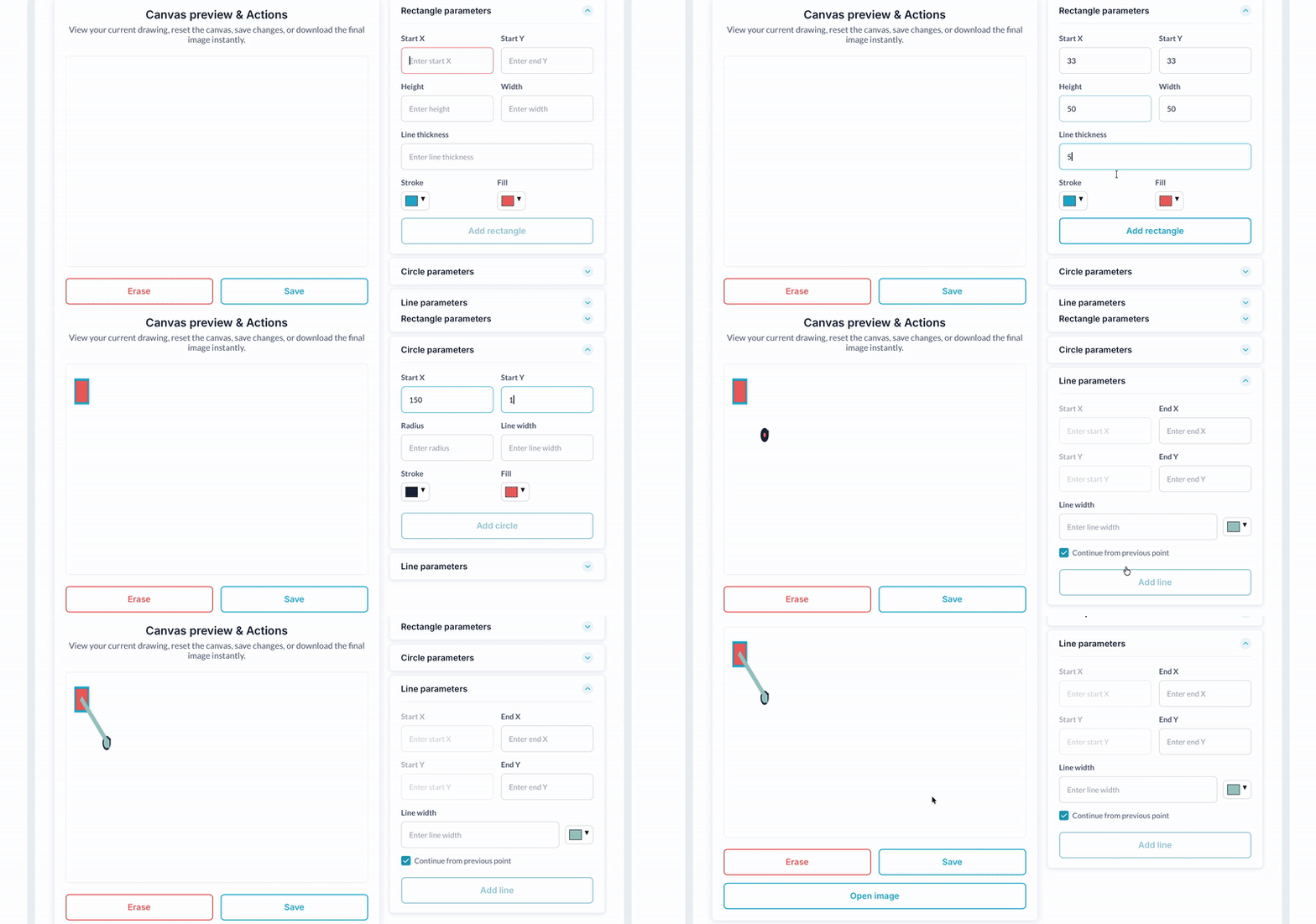
Programmatic Drawing With Workflow plugin allows you to programmatically draw lines, circles, and rectangles with various colors, styles, and more. Once you have created your masterpiece, you can save the image to your Bubble app as a .png file


 ⚡ Main Functions:
 •
Programmatic Shape Drawing.Draw lines, circles and rectangles using workflows
•
Dynamic Styling.Customize shape colors, sizes and styles dynamically
•
Workflow-Triggered Rendering.Trigger drawings programmatically within your app logic
•
Canvas Overlay Support.Overlay drawings on custom backgrounds or images
•
Multi-Shape Rendering.Supports drawing multiple shapes at once
⚡ Key Features: 🧩 Versatile Use Cases.Ideal for diagrams, annotations and design tools
⚡ Lightweight Performance.Lightweight and optimized for performance
🧱 Bubble Compatibility.Fully compatible with Bubble visual editor and workflows
 Documentation
We’ve created a detailed step-by-step guide for the Programmatic Drawing With Workflow plugin. It includes a comprehensive overview of all features, practical use cases, and answers to frequently asked questions.
FAQWhat does this plugin do?It allows you to programmatically draw shapes like lines, circles, and rectangles using workflows in your Bubble app.
Can I draw multiple shapes at once?Yes, you can draw multiple shapes by triggering actions for each within the same or separate workflows.
Can I change the color and size of the shapes?Yes, the plugin supports customization of colors, sizes, and styles for all shapes.
Is this plugin compatible with all Bubble elements?It is compatible with standard Bubble visual elements where drawing overlays are applicable.

 Our Similar Plugins
-
HTML5 Canvas with Fabric.js Support
If you still have questions or unresolved issues, you can
contact us.
Risk-free TrialThe most risk-free way to try out this plugin is to subscribe to it. If you unsubscribe a few days later you will be charged on pro-rata basis, so for example if the plugin monthly price is $5 then you’d pay only 17¢ per day ($5/30 days)!
 Built on Bubble
