You’ve sent another welcome email with PDF attachments. Your new hire can’t find the benefits form. Your manager forgot to assign the buddy. Three Slack messages later, IT still hasn’t shipped the laptop.
Scattered onboarding creates real problems. Gallup finds only 12% of employees strongly agree their organization does a great job of onboarding. New hires spend their first week hunting down forms instead of learning your product. Managers waste hours on admin tasks instead of building relationships. Your HR team answers the same questions every Monday because there’s no single source of truth.
This guide covers seven platforms built for different needs, plus when custom development makes more sense than off-the-shelf tools.
What makes great employee onboarding software
Employee onboarding software is a digital platform that automates the process of integrating new hires into your organization — from offer acceptance through the first 90 days. The software handles tasks like collecting tax forms, assigning training, provisioning equipment, and tracking completion, all in one place instead of scattered across email and spreadsheets. The goal is reducing time-to-productivity for new hires while cutting the administrative burden on HR teams and managers.
Why dedicated onboarding software matters
Great onboarding reduces time-to-productivity and improves first-year retention. With replacement costs ranging from 50% to 200% of annual salary, the investment in the right platform pays back through fewer new hire questions, less manager time on admin tasks, and a faster ramp to full productivity. Dedicated software also supports compliance and security, protecting sensitive employee data and keeping you aligned with regulations.
Core features to look for
Great onboarding software includes several core features. Understanding these helps you evaluate platforms and avoid paying for capabilities you don’t need.
Digital paperwork and e-signatures replace printing, scanning, and filing paper forms. New hires complete W-4s, direct deposit forms, and employment agreements from their phones. Some onboarding platforms, such as BambooHR, provide secure document storage, e-signatures, and signed-document status reporting; verify searchable document storage with each vendor before buying.
Automated workflows trigger tasks based on rules you define. When someone accepts an offer, the system automatically emails the hiring manager, creates the IT ticket, and schedules the first-day calendar invite. You build the sequence once, and it executes for every new hire without manual intervention.
Compliance and security features protect sensitive employee data and keep you aligned with regulations. SOC 2 Type II compliance, GDPR and CCPA support, and audit trails track document access and changes. Role-based permissions restrict access to sensitive information like social security numbers and banking details based on user roles.
For international hiring, global workforce platforms such as Deel can help with localized contracts, compliance, and global payroll, while some onboarding platforms may offer data residency or compliance controls. Confirm each platform’s country coverage and data residency options.
Mobile accessibility can let new hires complete certain onboarding tasks from a phone, but specific capabilities — such as ID upload, handbook review, or video viewing — vary by platform and should be verified.
Integration support connects your onboarding software to the tools you already use. The best platforms sync with applicant tracking systems like Greenhouse, HRIS platforms like BambooHR, and payroll systems like Gusto.
Reporting and analytics show you where onboarding breaks down. You can track completion rates by department, identify bottlenecks in your workflows, and measure time-to-productivity. This varies for different roles, but around 35 days is the median per APQC benchmarking.
Key features to look for:
- E-signature support for remote document completion without printing.
- Task automation with deadline reminders and workflow triggers.
- Role-based permissions with different access levels for managers and HR admins.
- Compliance certifications such as SOC 2, GDPR, and industry-specific standards.
- Mobile-responsive design that works on phones and tablets.
- Basic reporting for completion rates and progress tracking.
Preboarding vs. onboarding: Preboarding covers tasks that happen between offer acceptance and the first day of work — sending a welcome email, collecting tax forms, or shipping equipment. Onboarding starts on day one and continues through the first 90 days or longer.
The 7 best employee onboarding software solutions
The platforms below represent different approaches to onboarding. Each section follows the same structure so you can compare capabilities and find the right fit.
| Platform | Best for | Starting price | Global hiring | IT provisioning |
|---|---|---|---|---|
| BambooHR | SMB onboarding checklists and HR integration | Custom quote (third-party estimates ~$10/employee/month) | GDPR support | No |
| Rippling | HR and IT provisioning automation | Custom quote | Yes | Yes |
| Greenhouse Onboarding | ATS integration and hiring continuity | Custom quote | GDPR support | No |
| Gusto | Payroll-integrated onboarding | $49/month + $6/person | Primarily US | No |
| Enboarder | Engagement-focused onboarding journeys | Custom quote | Yes | Workflow coordination |
| Deel | Global employee and contractor onboarding | $49/contractor/month | Yes — varies by product | No |
| Bubble | Custom onboarding apps with unique workflows | Free; paid web-only plans from $29/month | Configurable | Via integrations |
1. BambooHR: Best for SMB onboarding checklists and HR integration
BambooHR provides user-friendly onboarding checklists integrated with a full HR suite. The platform sends automated reminders to managers, tracks task completion, and stores employee data in one place. Built-in e-signatures mean new hires can complete tax forms and employment agreements before their start date.
The software shines for small to mid-size businesses making the jump from spreadsheets to formal HR processes. Template checklists get you started quickly, and you can customize tasks based on department or role. Manager dashboards show which new hires need attention and what tasks remain incomplete.
BambooHR maintains SOC 2 Type II compliance and supports GDPR requirements for companies with European employees. The platform offers role-based access and supports SSO integrations, but confirm SSO availability and any data-retention controls with BambooHR because tier availability varies.
BambooHR integrates with common payroll providers and benefits platforms. This makes it easier to manage the full employee lifecycle from hiring through onboarding to performance reviews.
Best for:
- Small to mid-size businesses under 500 employees. The platform scales well for growing teams without overwhelming smaller HR departments with unnecessary complexity.
- Teams implementing their first formal onboarding system. Template checklists and guided setup reduce the learning curve for organizations moving away from manual processes.
- Companies needing HR suite integration beyond just onboarding. BambooHR connects onboarding to performance management, time tracking, and employee records in a single platform.
- Organizations prioritizing ease of use over advanced customization. The interface is intuitive enough that HR generalists can manage it without dedicated admin support.
Limitations: Workflow customization has constraints compared to custom-built solutions. Analytics and reporting capabilities may vary by plan; verify specific reporting features such as compensation analytics, performance dashboards, and employee satisfaction tools directly with BambooHR.
Pricing: BambooHR does not publicly disclose exact US pricing on its pricing page. Third-party buyer and analyst estimates commonly cite roughly $10 per employee per month for Core, $17 for Pro, and $25 for Elite, with a reported $250 monthly minimum for teams of 25 or fewer. Contact BambooHR for an official quote.
2. Rippling: Best for HR and IT provisioning automation
Rippling combines HR onboarding with IT provisioning in a single workflow. When a new hire accepts their offer, Rippling can automatically order their laptop, provision their Google Workspace account, assign software licenses, and set role-based permissions.
The platform excels for tech-forward remote teams that need to coordinate equipment shipping, account setup, and access management. Rippling’s device management capabilities mean IT can remotely configure laptops before they ship and maintain security policies after delivery.
Rippling supports global payroll and benefits administration across multiple countries. The modular pricing means you pay only for the features you use, but costs can increase as you add capabilities beyond basic onboarding.
Best for:
- Companies needing coordinated HR and IT provisioning. The unified workflow eliminates the back-and-forth between HR and IT that delays new hire productivity.
- Remote teams managing device shipping and software access. Rippling handles the logistics of getting equipment configured and delivered to distributed employees.
- Fast-growing startups automating repetitive setup tasks. When you’re hiring 10 or more people per month, manual provisioning becomes a bottleneck that Rippling removes.
- Organizations with role-based access control requirements. The platform enforces consistent permissions across apps and devices based on job function.
Limitations: Modular pricing can become expensive as you add features. Setup complexity requires dedicated admin time to configure properly.
Pricing: Rippling pricing is custom quote-based, with no publicly published rates. Rippling requires customers to request a quote based on which HR, finance, and IT modules they need alongside the required core platform.
3. Greenhouse Onboarding: Best for ATS integration and hiring continuity
Greenhouse Onboarding creates a handoff from recruiting to day one for companies already using Greenhouse’s applicant tracking system. Greenhouse Recruiting integrates with Greenhouse Onboarding to support the handoff from candidate to new hire; confirm which candidate fields sync and whether any manual data entry remains. Greenhouse provides onboarding reports and integrates with Greenhouse Recruiting, helping teams connect recruiting and onboarding data, though plan availability for unified reporting varies.
Greenhouse Onboarding supports onboarding plans and task assignments, including tasks assigned by criteria or to individual new hires. New hire portals give employees visibility into what’s expected and when. Greenhouse provides dashboards and onboarding reports for managing new hires and tasks; verify completion-rate and overdue-task views for your plan.
Greenhouse maintains SOC 2 Type II compliance and supports GDPR requirements for handling employee data. Greenhouse Onboarding supports configurable permissions and custom access roles. Greenhouse also offers audit logs for certain environments and tiers; verify audit-log coverage for Onboarding and document-related events.
Greenhouse works best for companies prioritizing consistency and measurement across the recruiting-to-onboarding journey. Standardized workflows help ensure every new hire gets the same experience.
Best for:
- Teams already using Greenhouse ATS. The native integration keeps candidate information flowing through the hiring process.
- Companies wanting recruiting and onboarding in one platform. Unified reporting lets you measure the full candidate-to-employee journey in a single dashboard.
- Organizations prioritizing standardized onboarding experiences. Consistent workflows help maintain quality across departments and locations.
- Mid-market companies scaling hiring processes. The platform handles the complexity of coordinating multiple hiring managers and onboarding workflows simultaneously.
Limitations: Requires additional tools for payroll processing and IT provisioning. Advanced workflow customization is limited compared to custom-built solutions.
Pricing: Greenhouse Onboarding pricing is not publicly disclosed. Contact Greenhouse sales for pricing information based on your specific needs.
4. Gusto: Best for payroll-integrated onboarding
Gusto combines onboarding with payroll processing for small businesses. New hires complete W-4s and direct deposit forms directly in Gusto, and the data flows automatically into payroll. State-specific compliance reporting and benefits enrollment happen in the same platform.
The software simplifies the administrative burden of onboarding for small teams without dedicated HR staff. Automated reminders keep new hires on track, and manager checklists prevent missed steps. Gusto handles both employee and contractor onboarding with appropriate tax forms for each.
Gusto’s strength is simplicity. You get payroll, onboarding, and basic HR tools in one affordable package. The trade-off is limited depth in areas like advanced analytics, training management, and IT provisioning.
Best for:
- Small businesses under 100 employees. The platform is designed for teams that don’t have dedicated HR or payroll specialists.
- Teams needing payroll and onboarding in one platform. Data flows directly from onboarding forms into payroll processing without manual re-entry.
- Companies hiring both employees and contractors. Gusto generates the appropriate tax forms (W-4 vs. W-9) based on worker classification.
- Organizations prioritizing simplicity over advanced features. The interface is straightforward enough that founders or office managers can run it without training.
Limitations: Basic analytics and reporting. Gusto’s product is primarily positioned around US payroll, tax, compliance, and onboarding workflows; verify any non-US hiring support directly with Gusto. No IT provisioning or advanced workflow customization. Gusto provides security documentation and SOC reports on request; identity-management capabilities should be verified directly because the official Okta integration is limited to Plus and Premium accounts but does not provide SSO functionality.
Pricing: $49 per month base fee plus $6 per person per month for the Simple plan. Includes payroll, onboarding, and basic HR tools.
5. Enboarder: Best for engagement-focused onboarding journeys
Enboarder focuses on human connection and engagement throughout the onboarding journey. The platform can coordinate buddy programs and stakeholder introductions, schedule check-ins, and create personalized touchpoints based on role and location. Journey orchestration helps ensure new hires get the right information at the right time.
The software emphasizes culture-building through automated social introductions, team-building activities, and manager coaching prompts. Analytics track engagement metrics alongside completion rates, measuring not just whether tasks were done but how new hires feel about their experience.
Enboarder commonly acts as an employee-journey and onboarding orchestration layer that integrates with HRIS, ATS, and collaboration tools. The platform can also coordinate IT provisioning workflows as part of onboarding automation, though dedicated device management may require integrations.
Best for:
- Mid-market companies with 100 to 1,000 employees. The platform’s engagement features justify the investment at this scale, where retention has significant financial impact.
- Organizations prioritizing culture and engagement. Enboarder treats onboarding as a relationship-building process, not just an administrative one.
- Teams with high retention goals. The analytics help you correlate onboarding experience quality with 90-day and first-year retention rates.
- Companies with structured buddy or mentorship programs. Coordinated introductions and check-in scheduling keep these programs running consistently.
Limitations: Often paired with separate HRIS and payroll systems. Dedicated device management and identity provisioning may require external systems, even though Enboarder can coordinate IT provisioning tasks and workflows. Pricing is quote-based; compare against all-in-one alternatives before deciding.
Pricing: Quote-based pricing tailored to company needs and goals. No public pricing figures are published; contact Enboarder for a custom quote.
6. Deel: Best for global employee and contractor onboarding
Deel handles onboarding for distributed teams hiring employees and contractors across multiple countries. The platform generates localized employment contracts, manages multi-country compliance, and processes global payroll in one system.
The software distinguishes between employee and contractor onboarding with appropriate forms and processes for each. Deel helps reduce international hiring complexity with localized contracts, compliance tooling, and local expertise, though companies should still seek legal advice where their circumstances require it. Integration with global payroll means you can pay team members in their local currency with one workflow.
Deel excels for remote-first companies with international teams. Deel is strongest for global hiring, contracts, compliance, and payroll; evaluate its learning, development, and engagement modules against your specific needs.
Deel also offers an HRIS platform (Deel HR) with features such as worker profiles, org chart, granular roles and permissions, document management, time off and leave policies, and time tracking. Verify Deel HR module pricing directly with Deel before committing, as per-module rates are not consistently disclosed.
Best for:
- Companies hiring across multiple countries. Deel handles localized contracts, tax forms, and compliance requirements that vary by jurisdiction.
- Remote-first organizations managing distributed teams. The platform is built for companies where employees and contractors work from different countries.
- Teams with a mix of employees and contractors. Deel generates the appropriate documentation and payment workflows for each worker type.
- Businesses expanding internationally. You can add new countries without researching local employment law or finding in-country legal counsel for every routine action.
Limitations: Learning and engagement modules are less developed than dedicated platforms. May be overkill for companies hiring only in one or two countries.
Pricing: Tiered pricing based on service type. Contractor management starts at $49 per contractor per month. Deel’s EOR (Employer of Record) services support full legal employment in 110+ countries and start at $599 per employee per month. Global payroll starts at $29 per employee per month. Contractor onboarding and management coverage extends to 200+ countries and jurisdictions.
7. Bubble: Best for fully visual AI-built custom onboarding apps and portals
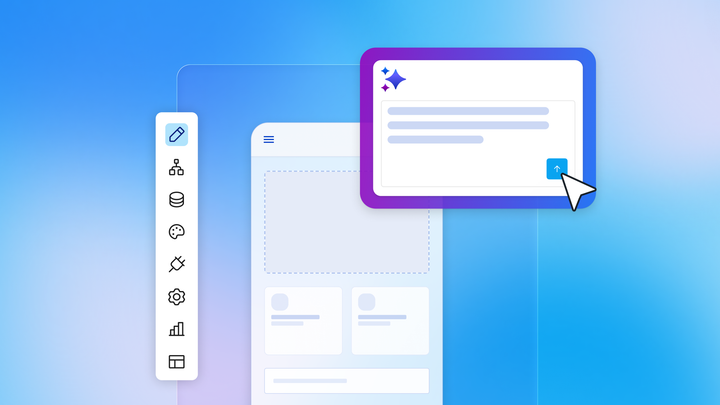
Bubble is the only fully visual AI app builder that lets you vibe code without the code to launch real apps to real users. You can generate a working onboarding app with AI, then fine-tune every screen, workflow, database field, and privacy rule visually — so you get a real app your team can understand and maintain, not generated code you can’t edit. Generate a working MVP with Bubble AI, then use the Bubble AI Agent (beta) to create and modify supported UI, data types, expressions, option sets, and frontend workflows through conversation, or switch to the visual editor for precise control.
Bubble supports web and native iOS and Android development from one editor with a shared database, workflows, and backend logic; the native mobile editor is currently in beta, so teams should test thoroughly before publishing. For approval steps or compliance checklists, you can use the Agent for supported frontend workflow generation and then refine the logic directly in Bubble’s visual workflow editor — especially for more complex or backend workflows.
The problem with vibe coding isn’t the vibe — it’s the code. AI coding tools can leave teams with generated code they can’t read, edit, or maintain, while Bubble keeps the app visual and immediately editable. When something needs updating, you can see exactly how your app works without parsing through code.
Bubble’s platform is SOC 2 Type II compliant for security and provides GDPR-supporting tools such as a GDPR-compliant DPA and visual privacy rules, but teams building employee-data workflows remain responsible for configuring their app and documentation to meet their own compliance obligations. Bubble lets you configure role-based access patterns using privacy rules, user roles, and server-side controls to restrict sensitive onboarding data.
Best for:
- Companies with unique approval workflows that don’t fit templates. Multi-step approvals, conditional routing based on role or department, and custom compliance checks are all possible visually.
- Teams needing multi-entity or role-specific onboarding journeys. Different employee types (full-time, contractor, executive) can have completely different onboarding paths in the same app.
- Organizations wanting full control over branding and user experience. Every element is customizable, from colors and fonts to the exact sequence of screens new hires see.
- Builders of any technical level. The Bubble AI Agent helps you build and learn as you go, while the visual editor gives you control when you want to fine-tune or when AI reaches its limits.
Limitations: Not an all-in-one HR suite, so you’ll need to integrate with separate tools for payroll and benefits administration. Bubble gives you more control than plug-and-play templates, but you’ll still need to configure your workflows, data model, integrations, and privacy rules visually so the app matches your exact onboarding process.
Pricing: Free to start building. Paid annual plans start at $29/month for web-only, $42/month for mobile-only, and $59/month for Web + Mobile. Monthly billing starts at $32, $49, and $69 respectively. Pricing is project-based rather than per-employee. Enterprise pricing is custom.
How to choose the right onboarding software for your team
The right onboarding platform depends more on your specific workflow requirements than on feature checklists. Start by mapping your current process and identifying what actually needs to improve.
For companies under 100 employees: Start with integrated solutions like Gusto or BambooHR that combine payroll, onboarding, and basic HR tools. These platforms reduce complexity and cost while giving you professional onboarding workflows.
For tech-forward teams: Consider Rippling if coordinating HR and IT provisioning is a major pain point. The automation saves significant time for remote teams managing device shipping, software licenses, and access permissions.
For existing Greenhouse users: Leverage the ATS integration with Greenhouse Onboarding to maintain data continuity from recruiting through day one.
For global teams: Prioritize Deel if you’re hiring across multiple countries. The compliance and payroll complexity of international hiring justifies the higher cost.
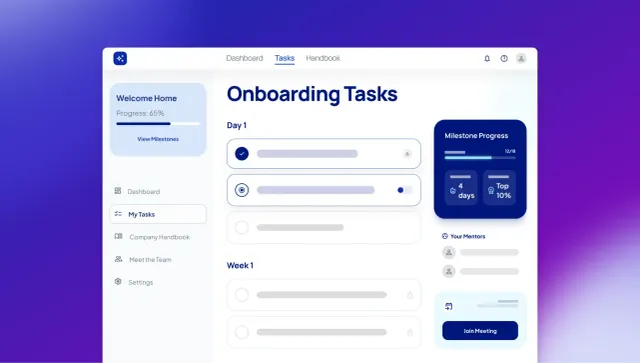
For unique processes: Consider building a custom onboarding app with Bubble AI when your workflows don’t fit standard templates and you need AI speed plus visual control over the app’s design, data, logic, and privacy rules. Start with AI generation to create a working MVP, then refine it using the Bubble AI Agent or the visual editor. This approach works well for companies with complex approval chains, specific compliance requirements, or unique onboarding experiences. If you’re building a custom app, get started for free on Bubble.
Key evaluation criteria:
- Implementation timeline. Bubble AI can generate a working MVP in minutes, but total implementation time varies by workflow complexity, integrations, testing, compliance needs, and stakeholder review. Verify vendor implementation timelines during evaluation.
- Integration requirements. List your must-have connections (ATS, HRIS, payroll, SSO) and verify that the platform offers native support before committing.
- Budget beyond base pricing. Account for implementation fees, per-user costs at scale, and other modules you’ll need later.
- Scalability planning. Confirm that this platform will work when you’re three times larger, since switching onboarding systems is painful.
Frequently asked questions about employee onboarding software
How long does implementing employee onboarding software typically take?
Implementation timelines vary widely by platform, customization, integrations, and compliance review. Bubble’s fully visual AI app builder can generate a working MVP in minutes, then lets you iterate with the AI Agent or edit directly in the visual editor. Ask each SMB vendor for an implementation estimate based on your specific workflows.
What’s the difference between onboarding software and an HRIS?
An HRIS manages the full employee lifecycle — payroll, benefits, time off, and performance reviews. Dedicated onboarding tools often focus more narrowly on new-hire workflows, task coordination, IT handoffs, or engagement than a general HRIS, but depth varies widely by product.
Can employee onboarding software handle remote I-9 verification?
Some platforms support remote I-9 workflows directly or through partners, including BambooHR, Greenhouse via GryphonHR, and Enboarder’s US compliance offering. Verify that your chosen platform provides compliant audit trails and meets your industry’s specific requirements before relying on fully remote verification.
Which software integrations matter most for employee onboarding?
Prioritize applicant tracking system data flow, HRIS and payroll sync, single sign-on and identity providers, and IT provisioning tools. Add learning management systems and survey tools based on your onboarding complexity and engagement goals.
When does building custom onboarding software make more sense than buying?
Consider a custom solution when your approval workflows, multi-entity compliance requirements, or branded experience significantly exceed what off-the-shelf templates can handle. Bubble lets you vibe code without the code to build custom onboarding apps visually — from design and database to privacy rules and workflows — and launch real web or native mobile experiences without a dedicated engineering team.
Build for as long as you want on the Free plan. Only upgrade when you're ready to launch.
Join Bubble